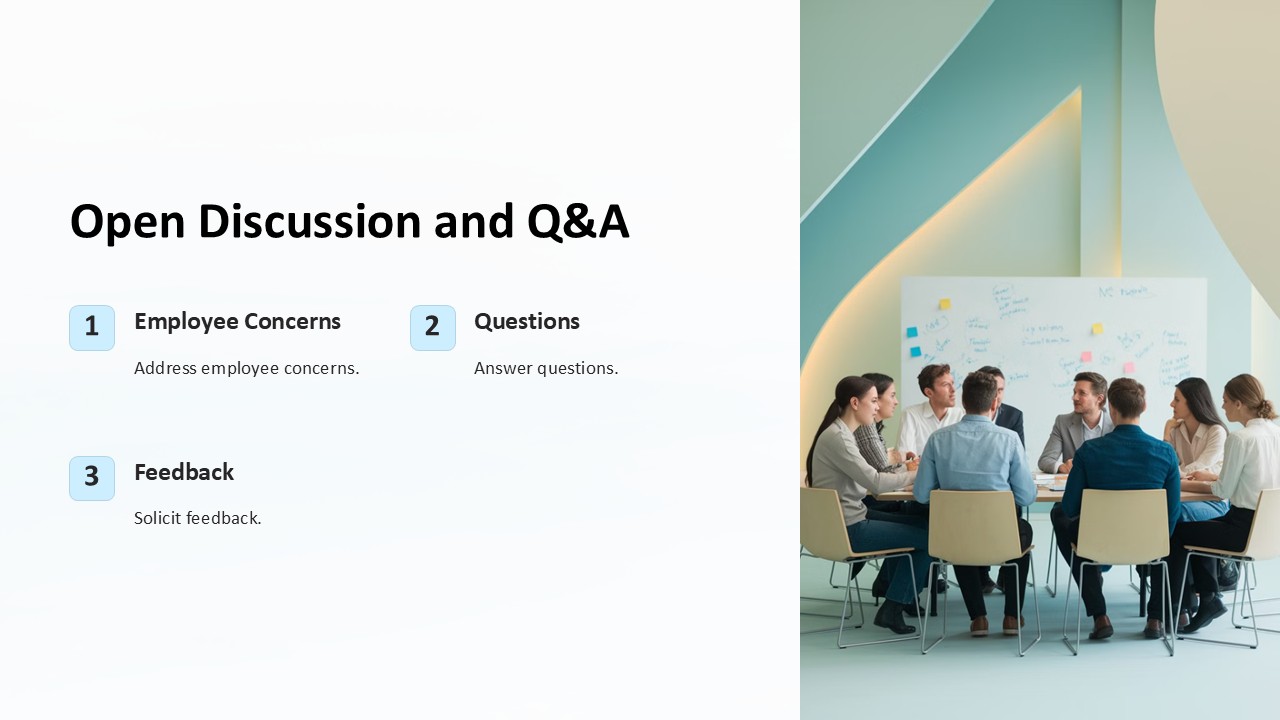
About this PowerPoint template
Introducing the "Q&A Session: Ask Your Questions PowerPoint Presentation" – a dynamic, interactive tool designed to streamline your Q&A sessions, making them more engaging and efficient. Whether you're hosting a corporate meeting, an educational seminar, or a community forum, this PowerPoint presentation template is your go-to resource for facilitating lively and organized discussions.
Product Description:
This PowerPoint presentation template is meticulously designed to cater to any setting that requires a question and answer segment. It features a clean, professional layout that effortlessly guides the audience through the session, enhancing their participation and engagement. The design is not only visually appealing but also structured in a way that promotes clarity and focus, helping you manage the flow of the session with ease.
The "Q&A Session: Ask Your Questions PowerPoint Presentation" includes a variety of slide designs tailored to different aspects of a Q&A session. Starting with an introductory slide to set the agenda, it moves seamlessly into slides designed for presenting questions. Each question slide provides ample space for detailing questions comprehensively, along with associated sub-points or related visuals. Additional slides are included for summarizing the discussions and concluding remarks, ensuring that every session is rounded off professionally.
What sets this presentation template apart is its interactive components. Interactive elements such as hyperlinked buttons or embedded timers can be utilized to manage session timings or to navigate through sections efficiently. These features are particularly useful in maintaining the pace of the session and keeping the audience's attention focused.
Features:
- Fully Editable Templates: Every slide in the "Q&A Session: Ask Your Questions PowerPoint Presentation" is fully editable. You can customize the text, change colors, adjust the backgrounds, and add your own images or graphics to align with your branding or the specific theme of your session. This flexibility ensures that the presentation can be adapted for multiple occasions and reused as needed.
- Supports PowerPoint and Google Slides: This template is compatible with both Microsoft PowerPoint and Google Slides, offering versatility no matter which platform you prefer. This compatibility extends the presentation's utility across different software environments, making it a robust tool for anyone.
- Designed for Interaction: The layout and design elements encourage audience interaction, making it easier to manage large groups and maintain engagement throughout the session. The design prompts participants to ask questions or provide feedback, creating a dynamic two-way communication channel.
- Professional Aesthetics: With a professional and sleek design, the template sets the right tone for any formal or informal gathering. Its aesthetic appeal is maintained across various customization changes, ensuring that the visual impact is never lost.
- Easy Navigation: Strategic placement of slides and clear, visible headers make navigation through the presentation straightforward for both the presenter and the audience. This ease of use enhances the overall effectiveness of the Q&A session.
The "Q&A Session: Ask Your Questions PowerPoint Presentation" is an indispensable tool for anyone looking to facilitate an organized and engaging Q&A segment. With its customizable features, professional design, and interactive capabilities, it's designed to elevate your presentations and make every Q&A session a success.
Template details
| Template | Q&A Session Ask Your Questions PowerPoint Presentation |
|---|---|
| Category | PowerPoint Presentations |
| File format | PowerPoint (.pptx) |
| Slide size | 16:9 widescreen |
| Preview images | 1 |
| Editable | Yes: text, colours, shapes, icons and charts |
| Works with | PowerPoint 2010 and later, PowerPoint for Mac, Google Slides |
| Licence | Royalty-free, yours to keep using after your plan ends (terms of use apply) |
| Price | Included in every SlideVilla plan |
| Added | 27 Apr 2025 |
| Last updated | 14 Oct 2026 |
Questions about this template
Can I edit the Q&A Session Ask Your Questions PowerPoint Presentation?
Yes. Every part of the Q&A Session Ask Your Questions PowerPoint Presentation is made with native PowerPoint shapes and text boxes, so you can change the wording, colours, fonts and sizes, move or delete elements, and swap icons without losing quality.
Does the Q&A Session Ask Your Questions PowerPoint Presentation work in Google Slides?
Yes. Download the .pptx file, upload it to Google Drive and open it with Google Slides. The layout, shapes and text stay editable there too.
Is the Q&A Session Ask Your Questions PowerPoint Presentation free?
It is a premium template, included in every SlideVilla plan together with the rest of the library. See plans and pricing.
What size and format is it?
It is a PPTX file in 16:9 widescreen format, with 1 preview image shown above.
How to use this template
- Step 1DownloadClick Download and the .pptx file saves straight to your computer.
- Step 2OpenOpen it in PowerPoint, or upload it to Google Slides from your Drive.
- Step 3Make it yoursChange text, colours, icons and charts. Every element is fully editable.
Categories
Related PowerPoint templates
More designs like this one, ready to edit.