About this PowerPoint template
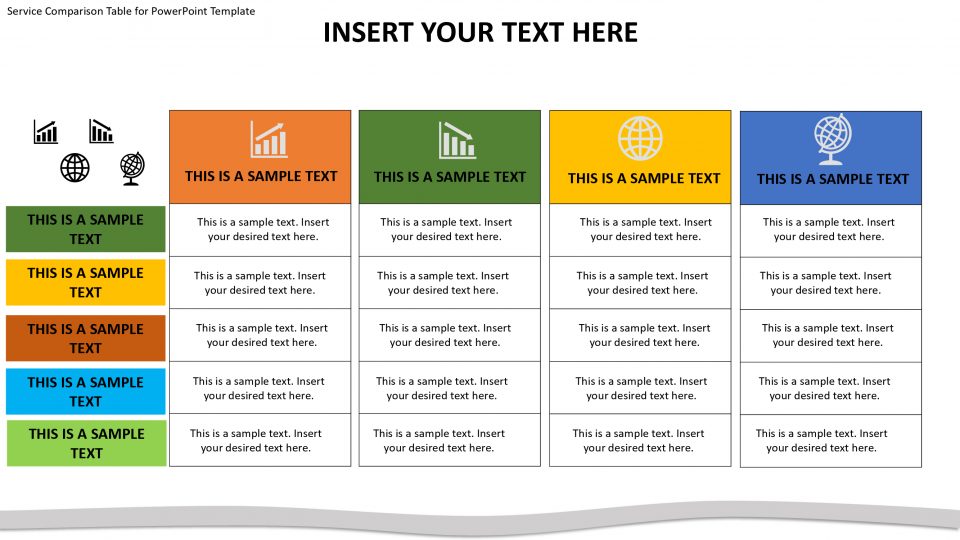
Introducing our comprehensive Comparison Table for PowerPoint Template, the ultimate presentaion for effectively illustrating and comparing various elements, products, or ideas in a visually engaging manner. Whether you're presenting market research, product features, pricing options, or any other comparative information, this template will empower you to create impactful and easy-to-understand presentations.
One of the standout features of our Comparison Table for PowerPoint Template is its user-friendly and fully customizable design. With a few simple clicks, you can effortlessly modify the table layout, adjust the colors to match your branding, and add or remove rows and columns as needed. This level of flexibility ensures that the template seamlessly adapts to your specific content requirements, enabling you to deliver a tailored and professional presentation.
Our template also boasts a range of visually appealing design elements that enhance the overall aesthetics of your comparison table. The clean and modern design, combined with the use of vibrant colors, ensures that your information stands out and captivates your audience. The clarity of the table layout and the strategic placement of headings and labels make it easy for viewers to navigate and comprehend the presented data.
Furthermore, our Comparison Table for PowerPoint Template is designed to save you valuable time and effort. No longer will you need to spend hours manually creating and formatting complex tables. By simply downloading our template, you gain access to a ready-to-use framework that can be easily populated with your data. This allows you to focus more on analyzing and interpreting the information rather than worrying about the visual design.
Download our Comparison Table for PowerPoint Template today and elevate your presentations to new heights of clarity and effectiveness. Impress your audience with visually appealing and easy-to-understand comparison tables that convey your message with impact. With our comparison table template, presenting complex data in a clear and concise manner has never been easier.
- Completely editable in terms of shape, color, size and text
- This template has a built in color theme which is unaffected by copy-pasting
- Includes an icon family with 135 unique completely editable icons
- Drag and drop image placeholder
- Completely editable (using spreadsheet) data-driven charts for displaying statistics
- Completely editable vector graphics
Supports
Microsoft PowerPoint 2010, 2011, 2013, 2016
MacOffice 2016, MacOffice 365
Use Cases For Comparison Table for PowerPoint Template
- Product Comparisons: Compare features, specifications, and pricing of different products or services. Use the template to create visually appealing comparison tables that help customers make informed purchasing decisions.
- Competitive Analysis: Analyze competitors' strengths, weaknesses, and market positioning. Use the template to compare competitors' products, strategies, and performance metrics, identifying opportunities for differentiation and improvement.
- Financial Analysis: Compare financial performance metrics such as revenue, profitability, and growth rates across different time periods or companies. Use the template to create tables that summarize financial data and highlight key trends or insights.
- Market Research Findings: Present findings from market research studies or surveys in a structured and easy-to-understand format. Use the template to compare responses, preferences, or attitudes of different demographic groups or target markets.
- Project Evaluation: Evaluate project proposals, initiatives, or solutions based on criteria such as cost, feasibility, and impact. Use the template to create evaluation matrices or decision tables that facilitate objective analysis and decision-making.
- Feature Comparison: Compare features and capabilities of software applications, digital tools, or technological solutions. Use the template to highlight key functionalities, performance metrics, and user ratings, aiding users in selecting the best option for their needs.
- Strategic Planning: Compare strategic options, initiatives, or scenarios to inform decision-making and planning. Use the template to assess the pros and cons of different strategies, prioritize actions, and align stakeholders around common goals.
- Performance Evaluation: Evaluate employee performance, skills, and competencies against predefined criteria or benchmarks. Use the template to create performance scorecards or competency matrices that facilitate objective feedback and development planning.
- Educational Assessments: Assess students' knowledge, skills, or achievements using comparative grading or evaluation criteria. Use the template to create assessment rubrics or scorecards that provide structured feedback and support learning objectives.
- Investment Analysis: Compare investment opportunities, assets, or financial instruments based on risk, return, and other factors. Use the template to create investment matrices or decision tables that help investors make informed decisions and manage portfolio risk.
- Vendor Selection: Evaluate potential vendors, suppliers, or partners based on criteria such as cost, quality, and reliability. Use the template to compare vendor proposals, capabilities, and references, facilitating vendor selection and contract negotiation.
- Policy Analysis: Compare policy options, regulations, or legislative proposals based on their potential impacts and effectiveness. Use the template to create policy matrices or decision tables that inform policy-making and stakeholder engagement.
- Healthcare Options Comparison: Compare healthcare plans, treatment options, or medical procedures based on factors such as cost, benefits, and outcomes. Use the template to help patients or healthcare professionals make informed decisions about treatment and care options.
Template details
| Template | Comparison Table for PowerPoint Template |
|---|---|
| Categories | PowerPoint Templates, Business PowerPoint Templates, Data & Charts, Dashboards, Power Point Text & Tables, Comparison PPT Template |
| File format | PowerPoint (.pptx) |
| Slide size | 16:9 widescreen |
| Preview images | 2 |
| Editable | Yes: text, colours, shapes, icons and charts |
| Works with | PowerPoint 2010 and later, PowerPoint for Mac, Google Slides |
| Licence | Royalty-free, yours to keep using after your plan ends (terms of use apply) |
| Price | Included in every SlideVilla plan |
| Added | 5 Jun 2019 |
| Last updated | 17 May 2026 |
| Downloads | 37 times |
Questions about this template
Can I edit the Comparison Table for PowerPoint Template?
Yes. Every part of the Comparison Table for PowerPoint Template is made with native PowerPoint shapes and text boxes, so you can change the wording, colours, fonts and sizes, move or delete elements, and swap icons without losing quality.
Does the Comparison Table for PowerPoint Template work in Google Slides?
Yes. Download the .pptx file, upload it to Google Drive and open it with Google Slides. The layout, shapes and text stay editable there too.
Is the Comparison Table for PowerPoint Template free?
It is a premium template, included in every SlideVilla plan together with the rest of the library. See plans and pricing.
What size and format is it?
It is a PPTX file in 16:9 widescreen format, with 2 preview images shown above.
How to use this template
- Step 1DownloadClick Download and the .pptx file saves straight to your computer.
- Step 2OpenOpen it in PowerPoint, or upload it to Google Slides from your Drive.
- Step 3Make it yoursChange text, colours, icons and charts. Every element is fully editable.
Categories
Tags
Related PowerPoint templates
More designs like this one, ready to edit.