About this PowerPoint template
Introducing the "Addressing Employee Concerns and Questions PowerPoint Presentation" – a comprehensive, expertly designed toolkit to facilitate an open, constructive dialogue between management and staff. In today’s fast-paced work environments, effective communication is key to maintaining a happy, productive, and motivated workforce. This presentation template is crafted to help leaders at all levels engage with their teams in a meaningful way, ensuring that every voice is heard and every concern is addressed.
Core Content
The presentation begins with an engaging introduction slide that sets the tone for transparency and openness. It is followed by a series of slides designed to outline the common concerns and questions that employees might have, ranging from HR policies and workplace safety to career development and company culture. Each slide provides a structured format for presenting the issues, suggesting possible solutions, and inviting feedback from employees.
Structured as a tool to promote dialogue, the template includes sections for FAQs, where you can anticipate and answer the most common employee inquiries. There are also slides dedicated to open-ended questions that encourage employees to express their thoughts and concerns freely.
Interactive Features
To ensure the presentation is not just a monologue, the template incorporates interactive elements like polls, surveys, and Q&A sessions. These features are designed to make the session more engaging and to gather valuable insights from employees, which can help in improving workplace practices and policies.
Customization and Flexibility
Understanding that every organization is unique, the template is fully customizable to align with your company’s branding and specific needs. You can easily modify colors, text, and graphics to fit your company’s style and the particular tone you wish to set for the meeting. Whether it's a formal quarterly review or a casual feedback session, the template can be tailored to suit any occasion.
Visual Appeal
With professional design aesthetics, the template uses high-quality graphics and a coherent color scheme that maintains visual interest without distracting from the content. The use of infographics, charts, and icons helps in breaking down complex information and making data easy to digest.
Ease of Use
Designed for convenience, the template is incredibly user-friendly. It is compatible with both PowerPoint and Google Slides, making it accessible from various devices and platforms. Whether you are presenting in a boardroom or hosting a virtual meeting, this template ensures smooth and effective delivery of your communication.
Features
- Fully Editable Templates: Every element of the template can be edited to suit your specific needs. Adjust text, change colors, and add or remove slides without any hassle.
- PowerPoint and Google Slides Compatibility: Designed to work seamlessly with both PowerPoint and Google Slides, providing flexibility in how and where you choose to present.
- Interactive Elements: Includes options for real-time feedback such as polls and surveys, enhancing engagement and participation from the audience.
- Professional Design: Uses a clean, professional design that can be customized to reflect your company's branding and the specific tone of the meeting.
- Comprehensive Layouts: Equipped with a variety of slide layouts to cover different aspects of employee concerns, from structured FAQs to open discussion prompts.
This PowerPoint presentation template is more than just a tool; it’s an essential resource for fostering an inclusive culture where every employee feels valued and heard. Equip yourself with this template and turn routine meetings into opportunities for growth and engagement.
Template details
| Template | Addressing Employee Concerns and Questions PowerPoint Presentation |
|---|---|
| Category | PowerPoint Presentations |
| File format | PowerPoint (.pptx) |
| Slide size | 16:9 widescreen |
| Preview images | 1 |
| Editable | Yes: text, colours, shapes, icons and charts |
| Works with | PowerPoint 2010 and later, PowerPoint for Mac, Google Slides |
| Licence | Royalty-free, yours to keep using after your plan ends (terms of use apply) |
| Price | Included in every SlideVilla plan |
| Added | 27 Apr 2025 |
Questions about this template
Can I edit the Addressing Employee Concerns and Questions PowerPoint Presentation?
Yes. Every part of the Addressing Employee Concerns and Questions PowerPoint Presentation is made with native PowerPoint shapes and text boxes, so you can change the wording, colours, fonts and sizes, move or delete elements, and swap icons without losing quality.
Does the Addressing Employee Concerns and Questions PowerPoint Presentation work in Google Slides?
Yes. Download the .pptx file, upload it to Google Drive and open it with Google Slides. The layout, shapes and text stay editable there too.
Is the Addressing Employee Concerns and Questions PowerPoint Presentation free?
It is a premium template, included in every SlideVilla plan together with the rest of the library. See plans and pricing.
What size and format is it?
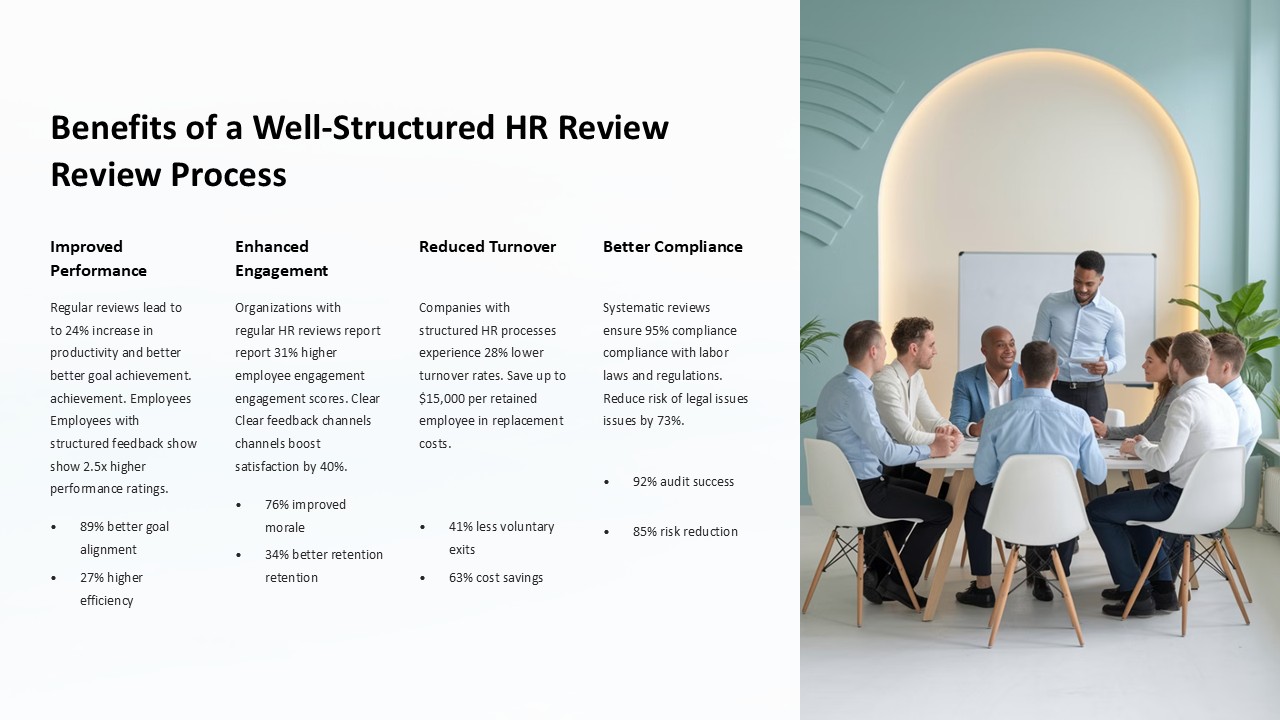
It is a PPTX file in 16:9 widescreen format, with 1 preview image shown above.
How to use this template
- Step 1DownloadClick Download and the .pptx file saves straight to your computer.
- Step 2OpenOpen it in PowerPoint, or upload it to Google Slides from your Drive.
- Step 3Make it yoursChange text, colours, icons and charts. Every element is fully editable.
Categories
Related PowerPoint templates
More designs like this one, ready to edit.