
About this PowerPoint template
Free Google Slides themes and PowerPoint templates
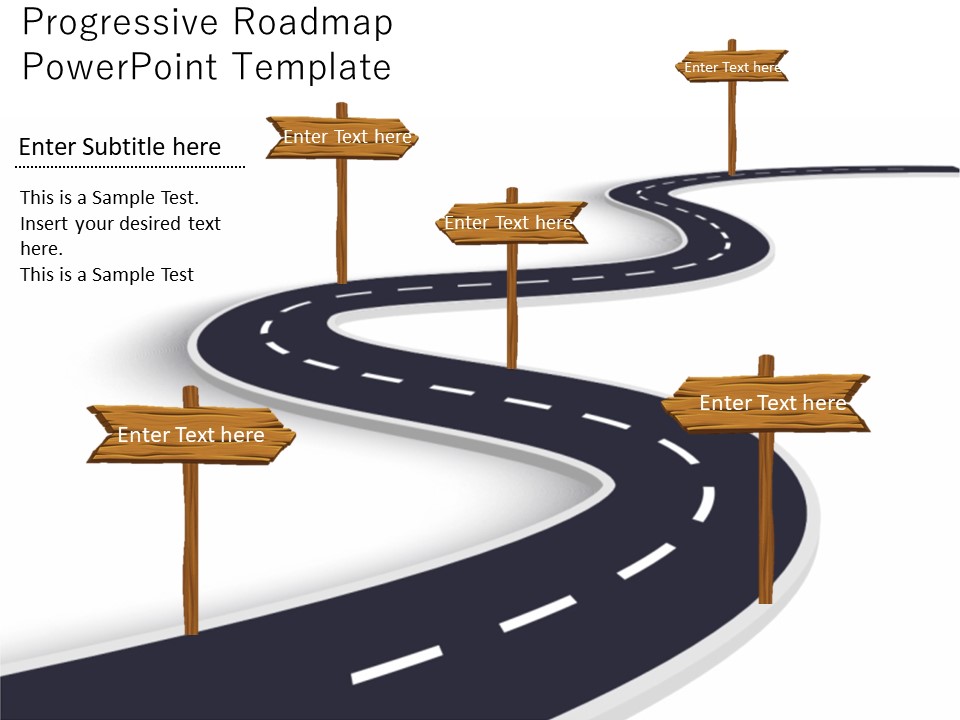
Introducing our dynamic and versatile Progressive Roadmap PowerPoint Template, the ultimate solution for showcasing your project and company goals in a professional and visually captivating manner. This fully editable slide timeline template empowers you to effectively communicate your project schedule, depict the product creation process, and demonstrate how your company's vision can be transformed into a tangible reality.
With our Progressive Roadmap PowerPoint Template, you have the flexibility to customize every aspect of your presentation. From the color palette to the layout, you can personalize the template to align with your branding and create a cohesive visual experience. The use of rich and vibrant colors not only engages your audience but also reinforces the main message of your presentation, leaving a lasting impact.
What sets our template apart is the meticulous attention to detail in the artwork and logo designs. Each element has been professionally crafted to seamlessly integrate with the overall aesthetic, ensuring a polished and cohesive look. This attention to detail enhances the professionalism and credibility of your presentation, making it even more compelling.
Whether you're presenting to stakeholders, team members, or clients, our Progressive Roadmap PowerPoint Template empowers you to communicate your project's progress and milestones effectively. The intuitive interface makes it easy for you to customize and tailor the template to suit your specific needs, even if you have limited design experience.
Download our Progressive Roadmap PowerPoint Template today and take your presentations to the next level. Present your project and company goals with confidence, while captivating your audience with visually stunning slides that effectively convey your message. Let our template be your roadmap to success in achieving your project objectives and turning your company's vision into a thriving reality.
- Completely editable in terms of shape, color, size and text
- This template has a built in color theme which is unaffected by copy-pasting
- Includes an icon family with 135 unique completely editable icons
- Drag and drop image placeholder
- Completely editable (using spreadsheet) data-driven charts for displaying statistics
- Completely editable vector graphics
Supports
All Versions of Microsoft PowerPoint
MacOffice 2016, MacOffice 365, Google Slides
Use Cases Progressive Roadmap PowerPoint Template is useful.
- Project Planning: Visualize project timelines and milestones to streamline planning and execution. Provide a clear overview of project phases and deadlines for better coordination and accountability.
- Product Development: Track the progression of product development from concept to market launch. Showcase key milestones, feature updates, and release timelines to stakeholders, ensuring alignment and transparency throughout the process.
- Business Strategy: Communicate strategic objectives and initiatives effectively. Use the roadmap template to outline the implementation of business strategies, enabling stakeholders to understand the overall direction and their role in achieving goals.
- Marketing Campaigns: Plan and present marketing strategies with clear timelines and objectives. Highlight campaign milestones, content schedules, and launch dates to ensure all team members are aligned and focused on driving results.
- Agile Methodologies: Implement Agile practices by visualizing sprint goals and progress. Break down project tasks into manageable increments and track their completion over time, facilitating adaptive planning and continuous improvement.
- Technology Roadmaps: Illustrate the integration of technological advancements into business plans. Showcase the adoption of new technologies, software upgrades, and infrastructure improvements to guide decision-making and resource allocation.
- Training Programs: Outline training schedules, modules, and learning outcomes for effective skill development. Provide a roadmap for learners to track their progress and understand the training journey from start to finish.
- Sales Pipelines: Monitor sales activities and forecast revenue generation with a visual roadmap. Track leads, opportunities, and deal stages to identify bottlenecks, prioritize actions, and drive sales performance.
- Event Planning: Coordinate event logistics and timelines for successful execution. Outline tasks, deadlines, and dependencies to ensure all aspects of the event are planned and executed smoothly.
- Research Projects: Present research objectives, methodologies, and timelines clearly. Use the roadmap template to communicate project milestones, data collection efforts, and analysis phases to stakeholders, fostering collaboration and understanding.
- Change Management: Guide teams through organizational changes with a clear transition plan. Communicate change objectives, timelines, and responsibilities to minimize disruption and ensure a smooth transition for all stakeholders.
- Risk Management: Identify and mitigate project risks using visual timelines. Highlight potential risks, their likelihood, and impact, along with mitigation strategies to proactively address issues and minimize negative impacts on project outcomes.
- Client Deliverables: Communicate project deliverables and deadlines clearly to clients. Provide a roadmap outlining key deliverables, milestones, and review points to manage client expectations and ensure timely delivery of project outcomes.
- Resource Allocation: Plan resource distribution and task prioritization based on project timelines. Allocate resources effectively to ensure tasks are completed on time and within budget, optimizing project performance and delivery.
- Performance Tracking: Monitor project progress against established benchmarks for optimal outcomes. Use the roadmap template to track key performance indicators, milestones, and deliverables, enabling timely adjustments and ensuring project success.
FAQs
Q1: What is a progressive roadmap template?
Answer: A progressive roadmap template is a visual tool that outlines the incremental steps or milestones needed to achieve a specific goal or project.
Q2: What are the benefits of using a progressive roadmap template?
Answer: Using a progressive roadmap template provides clarity, helps track progress, ensures alignment among team members, and facilitates effective communication about the project's direction.
Q3: How can a progressive roadmap template be created?
Answer: A progressive roadmap template can be created by identifying key objectives, breaking them down into smaller achievable tasks, and organizing them in a logical sequence on a timeline or roadmap format.
Q4: Can a progressive roadmap template be customized for different projects?
Answer: Yes, a progressive roadmap template can be customized to suit the unique requirements of different projects, allowing teams to adapt the template according to their specific goals and timelines.
Q5: How can a progressive roadmap template assist in managing project dependencies?
Answer: By visualizing the progressive steps and dependencies in a roadmap template, project managers can identify potential bottlenecks or inter-dependencies between tasks, ensuring smooth coordination and timely completion of the project.
Template details
| Template | Progressive Roadmap PowerPoint Template |
|---|---|
| Categories | PowerPoint Templates, Business PowerPoint Templates, Data & Charts, Curves and Statistical, Roadmap |
| File format | PowerPoint (.pptx) |
| Slide size | 16:9 widescreen |
| Preview images | 2 |
| Editable | Yes: text, colours, shapes, icons and charts |
| Works with | PowerPoint 2010 and later, PowerPoint for Mac, Google Slides |
| Licence | Royalty-free, yours to keep using after your plan ends (terms of use apply) |
| Price | Included in every SlideVilla plan |
| Added | 9 Jun 2020 |
| Last updated | 24 Apr 2026 |
| Downloads | 25 times |
Questions about this template
Can I edit the Progressive Roadmap PowerPoint Template?
Yes. Every part of the Progressive Roadmap PowerPoint Template is made with native PowerPoint shapes and text boxes, so you can change the wording, colours, fonts and sizes, move or delete elements, and swap icons without losing quality.
Does the Progressive Roadmap PowerPoint Template work in Google Slides?
Yes. Download the .pptx file, upload it to Google Drive and open it with Google Slides. The layout, shapes and text stay editable there too.
Is the Progressive Roadmap PowerPoint Template free?
It is a premium template, included in every SlideVilla plan together with the rest of the library. See plans and pricing.
What size and format is it?
It is a PPTX file in 16:9 widescreen format, with 2 preview images shown above.
How to use this template
- Step 1DownloadClick Download and the .pptx file saves straight to your computer.
- Step 2OpenOpen it in PowerPoint, or upload it to Google Slides from your Drive.
- Step 3Make it yoursChange text, colours, icons and charts. Every element is fully editable.
Categories
Related PowerPoint templates
More designs like this one, ready to edit.


