About this PowerPoint template
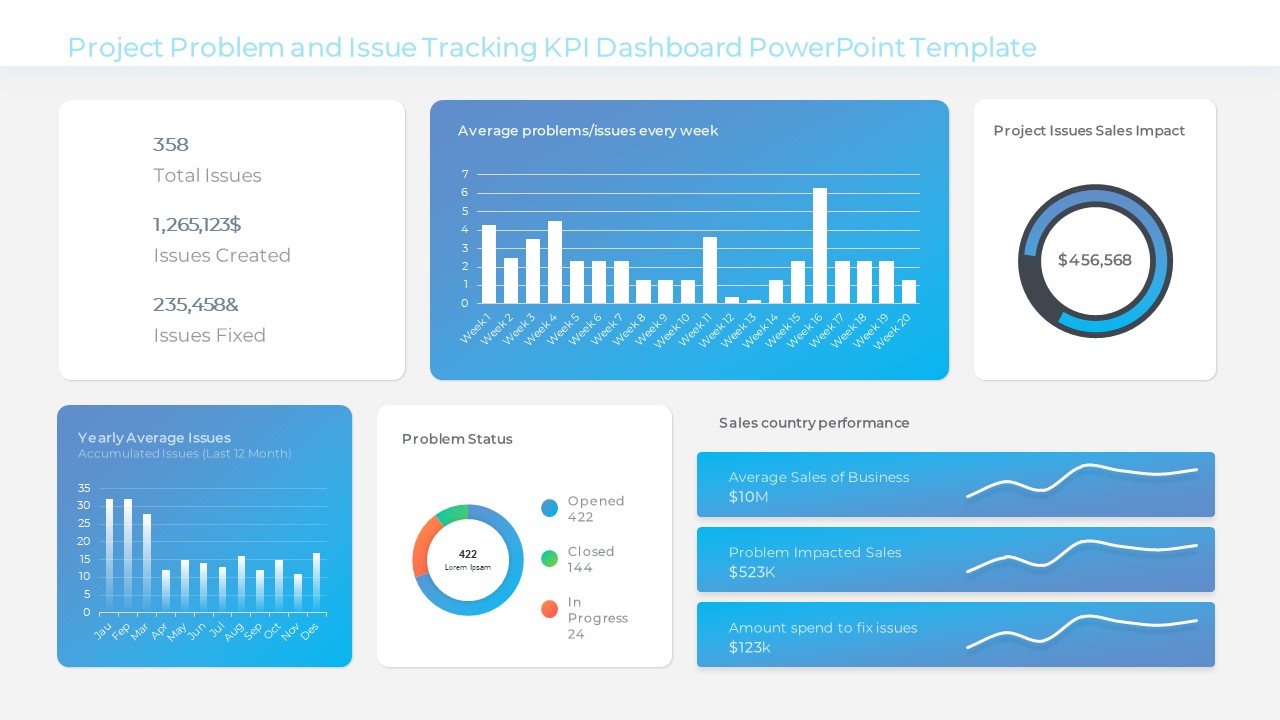
Looking for a convenient way to track the progress of your projects? Our Project Status Tracking PowerPoint Template is the perfect solution for effectively monitoring and managing your project's status. This professionally designed template offers a clear and organized layout to help you keep track of key project details and milestones with ease.
The template includes a variety of slides that can be customized to suit your specific project tracking needs. You can easily input project details, timelines, progress updates, and status indicators to ensure that all team members are on the same page. Whether you are managing a small team or a large-scale project, this template will help you stay organized and informed throughout the entire project lifecycle.
Key Features:
- Fully editable slides: Easily customize the template to match your project's specific requirements. Change colors, fonts, and layout to create a personalized project tracking tool.
- Clear visual indicators: Use icons, graphs, and charts to visually represent project status, deadlines, and progress. This will help team members quickly understand the current status of the project.
- Timeline view: Easily track project milestones and deadlines with the interactive timeline view. Identify key dates and monitor progress against the planned timeline.
- Detailed reporting: Generate reports and updates using the template to share project status with stakeholders and team members. Keep everyone informed and aligned on project goals.
- Collaboration tools: Collaborate with team members in real-time by sharing the PowerPoint template on cloud-based platforms. Ensure everyone has access to the most up-to-date project information.
Our Project Status Tracking PowerPoint Template is a versatile and user-friendly tool for project managers looking to streamline project tracking and communication. With its fully editable features, customizable design options, and clear visual indicators, this template will help you effectively monitor project progress and ensure successful project delivery. Say goodbye to scattered project information and hello to a streamlined and organized project tracking process.
Template details
| Template | Project Status Tracking PowerPoint Template |
|---|---|
| Category | PowerPoint Templates |
| File format | PowerPoint (.pptx) |
| Slide size | 16:9 widescreen |
| Preview images | 1 |
| Editable | Yes: text, colours, shapes, icons and charts |
| Works with | PowerPoint 2010 and later, PowerPoint for Mac, Google Slides |
| Licence | Royalty-free, yours to keep using after your plan ends (terms of use apply) |
| Price | Included in every SlideVilla plan |
| Added | 25 Aug 2024 |
Questions about this template
Can I edit the Project Status Tracking PowerPoint Template?
Yes. Every part of the Project Status Tracking PowerPoint Template is made with native PowerPoint shapes and text boxes, so you can change the wording, colours, fonts and sizes, move or delete elements, and swap icons without losing quality.
Does the Project Status Tracking PowerPoint Template work in Google Slides?
Yes. Download the .pptx file, upload it to Google Drive and open it with Google Slides. The layout, shapes and text stay editable there too.
Is the Project Status Tracking PowerPoint Template free?
It is a premium template, included in every SlideVilla plan together with the rest of the library. See plans and pricing.
What size and format is it?
It is a PPTX file in 16:9 widescreen format, with 1 preview image shown above.
How to use this template
- Step 1DownloadClick Download and the .pptx file saves straight to your computer.
- Step 2OpenOpen it in PowerPoint, or upload it to Google Slides from your Drive.
- Step 3Make it yoursChange text, colours, icons and charts. Every element is fully editable.
Categories
Related PowerPoint templates
More designs like this one, ready to edit.