
About this PowerPoint template
The Communication Plan PowerPoint Presentation is a complete 20-slide presentation: align audiences, messages, channels, and action. Every slide is fully editable in PowerPoint and Google Slides, so you can change the text, colours, charts and icons to fit your brand in minutes.
Inside, the slides walk through topics such as “Six choices shape every communication plan”, “Enable discussion, questions, and shared decisions” and “Measure communication by changed understanding and behavior”, with ready-made layouts for each step. It is part of our Business Strategy & Planning presentations.
On this page
What's included
- 20 professionally designed 16:9 widescreen slides
- 100% editable text, shapes, icons, tables and charts (no flat images)
- Works in Microsoft PowerPoint (Windows and Mac) and Google Slides
- Clean, consistent layout that follows your theme colours and fonts
- Delivered as a single ZIP file containing the .pptx presentation
What to include in a communication plan
A simple structure that works for most audiences, mapped to the slides in this deck:
| Part | What goes there | Slide in this deck |
|---|---|---|
| Objectives | What the communication must achieve | Slides 3, 4, 6 |
| Audiences | Groups, what they need to know and their concerns | Slides 3, 4, 8 |
| Key messages | The core messages for each audience | Slides 3, 8, 14 |
| Channels and calendar | Which channel, how often, when | Slides 2, 3, 5 |
| Owners and feedback | Who sends what and how you will measure it | Slides 3, 14, 18 |
Key numbers: Business communication
Research figures you can quote on your slides. Each one names the study it comes from, so your audience can check it.
| Finding | Figure | Source |
|---|---|---|
| Estimated yearly cost of poor communication to US businesses | up to $1.2 trillion | Grammarly / Harris Poll (2022) |
| Cost per employee per year | about $12,506 | Grammarly / Harris Poll (2022) |
| Hours a week teams lose to poor communication | 7.47 hours | Grammarly / Harris Poll (2022) |
| Leaders who say their company underestimates the cost of poor communication | 74% | Grammarly / Harris Poll (2022) |
Sources: Grammarly, State of Business Communication · Business Wire press release. Figures are from the editions named; check for a newer edition before you present.
Slide-by-slide outline
| Slide | What it covers |
|---|---|
| 1 | Title slide: Communication Plan |
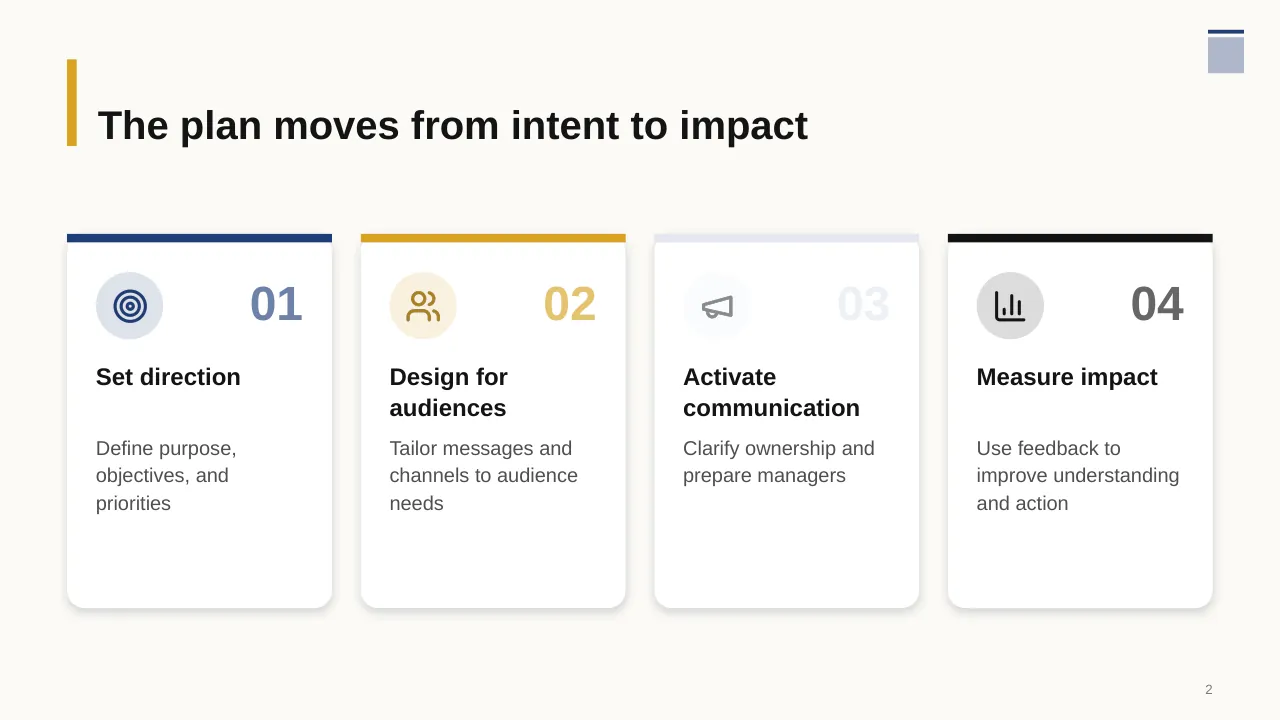
| 2 | The plan moves from intent to impact |
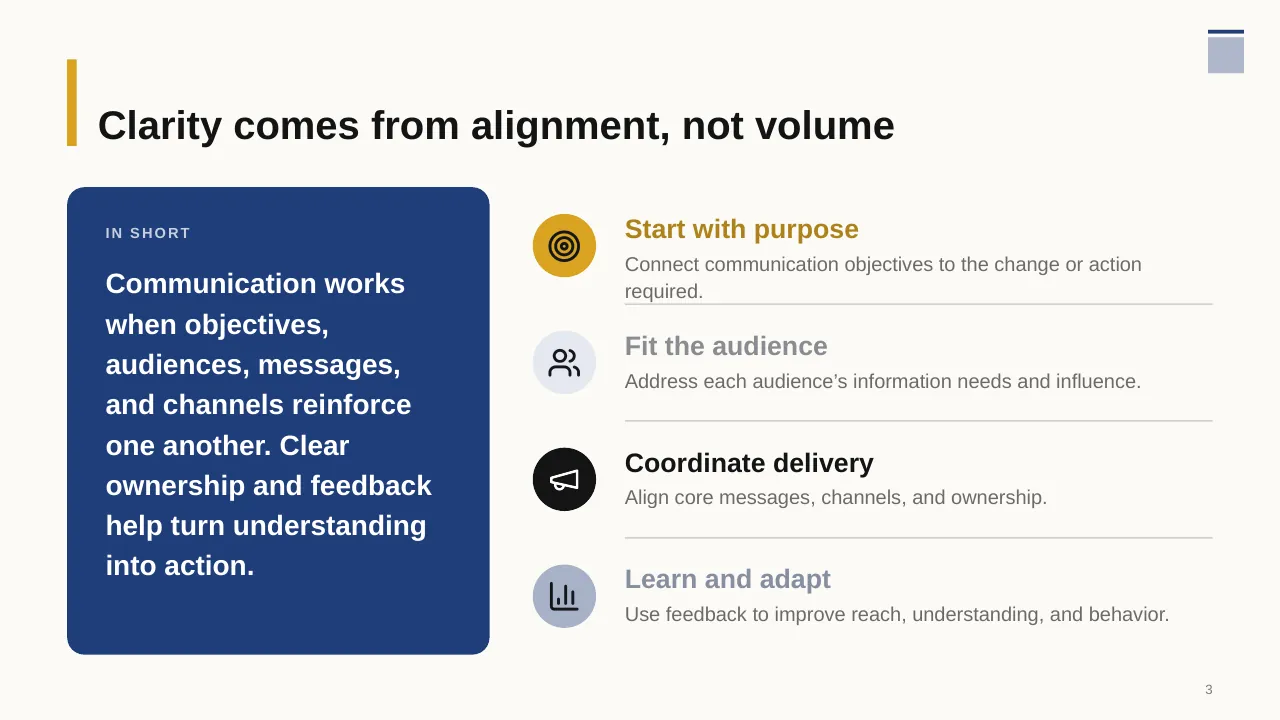
| 3 | Communication works when objectives, audiences, messages, and channels reinforce one another. Clear… |
| 4 | Define the purpose, priorities, and audiences before choosing how to communicate. |
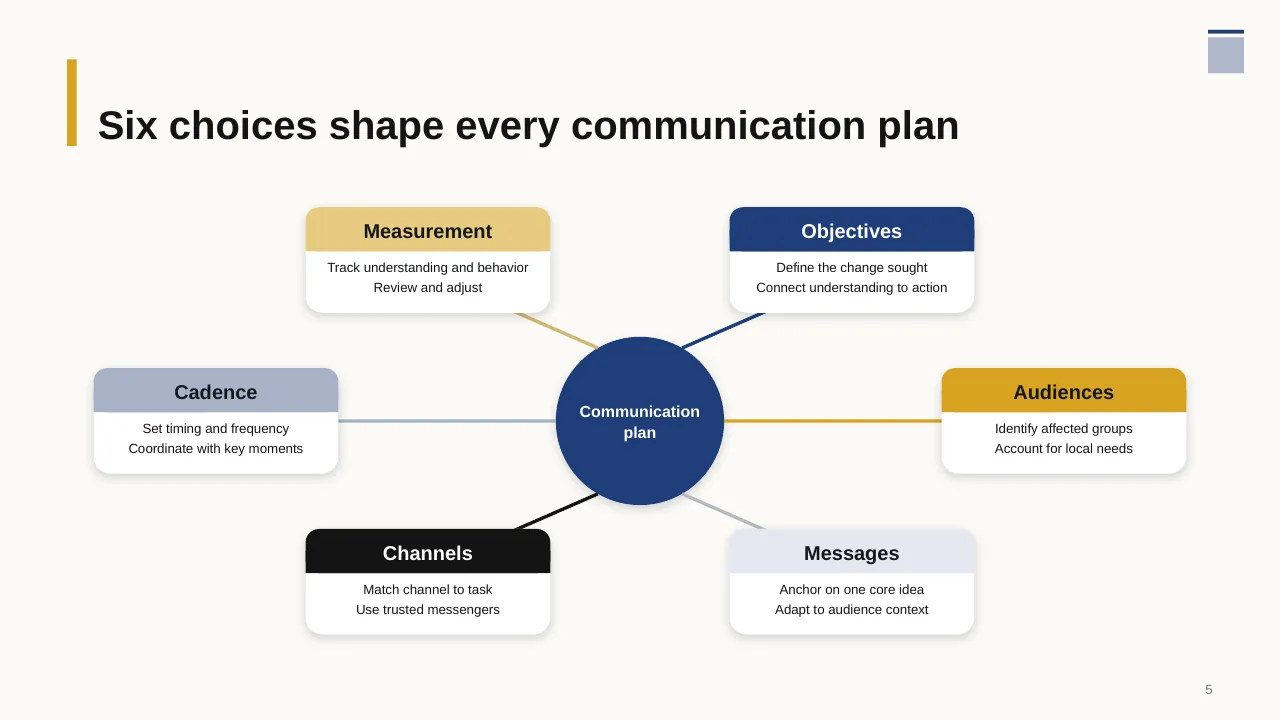
| 5 | Six choices shape every communication plan |
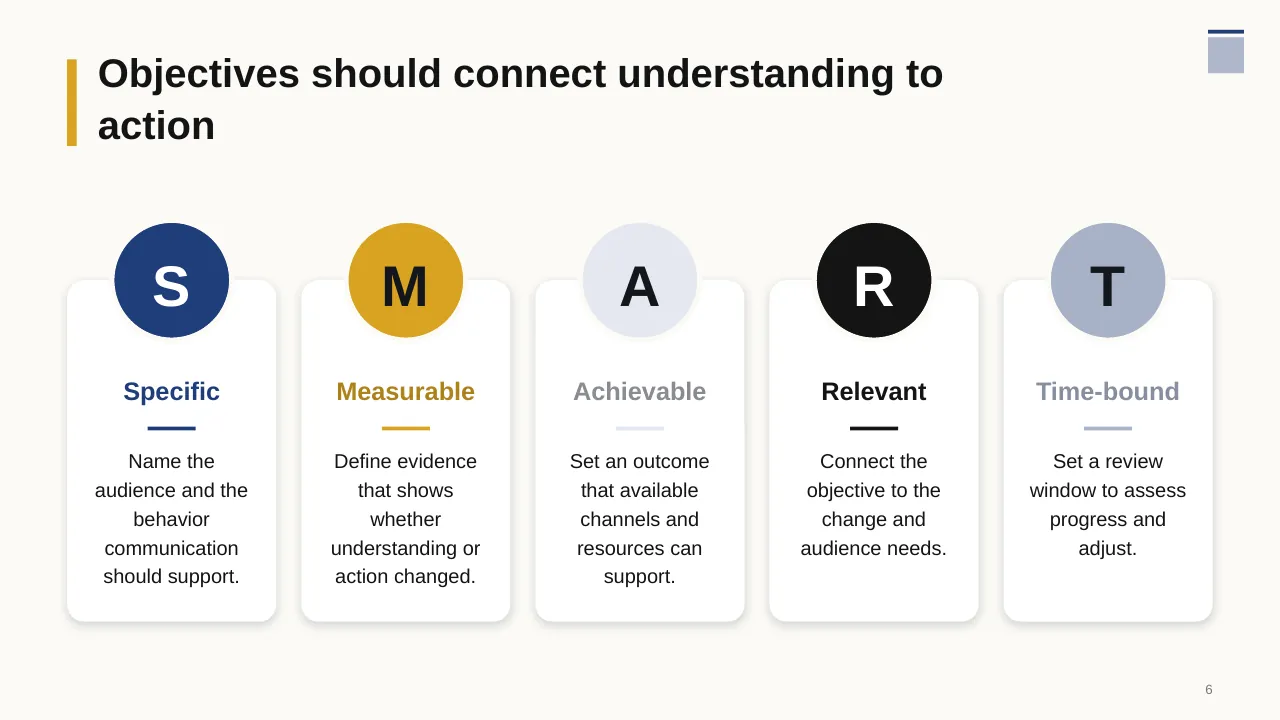
| 6 | Objectives should connect understanding to action |
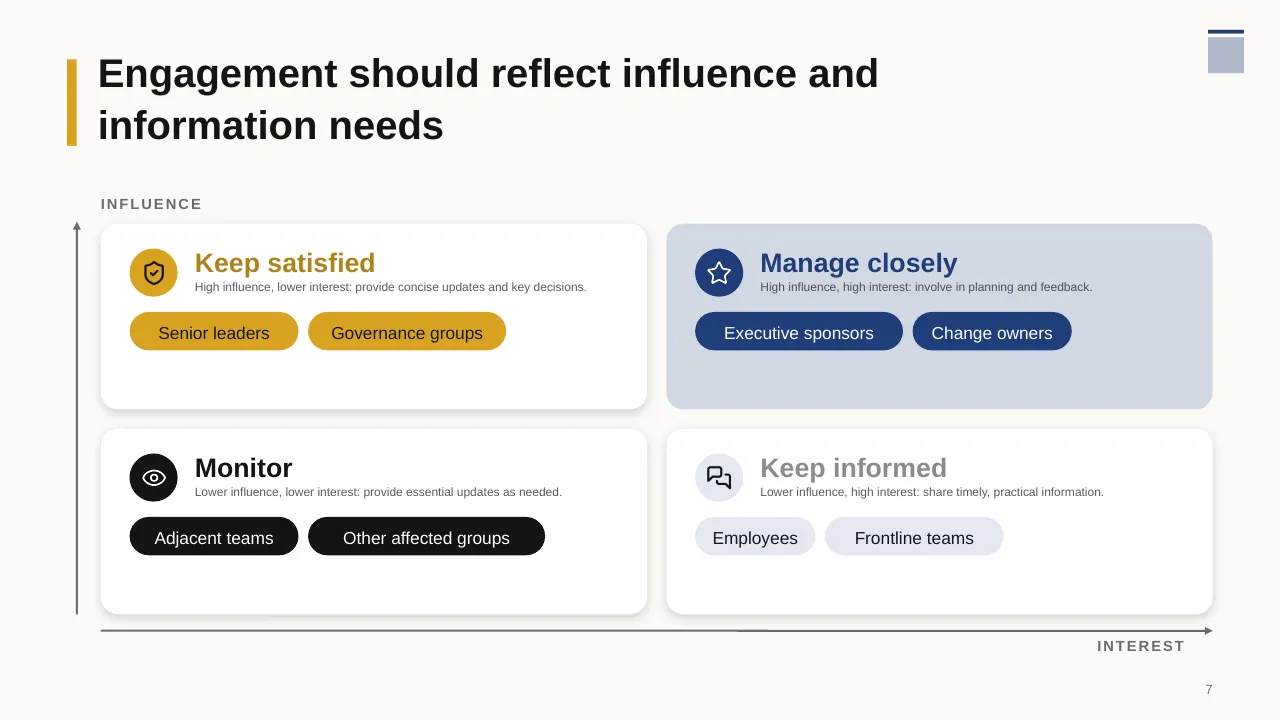
| 7 | Engagement should reflect influence and information needs |
| 8 | Start with audience needs, then shape messages and choose channels. |
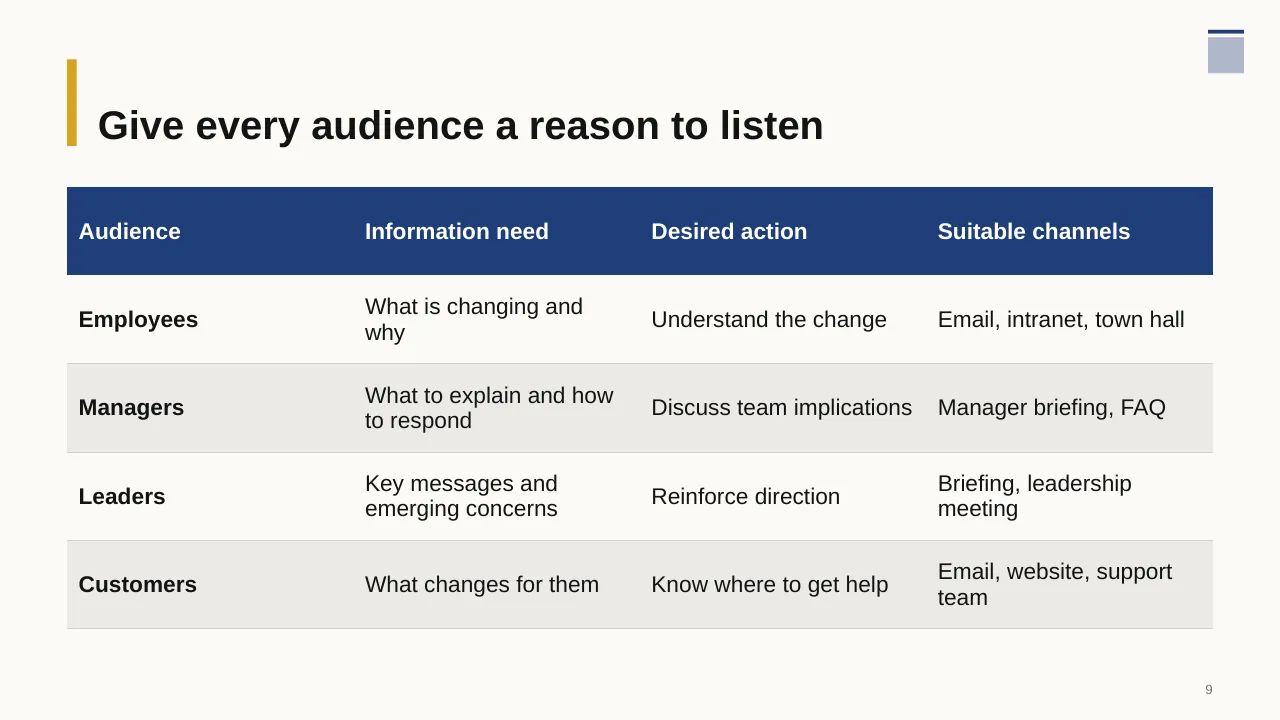
| 9 | Give every audience a reason to listen |
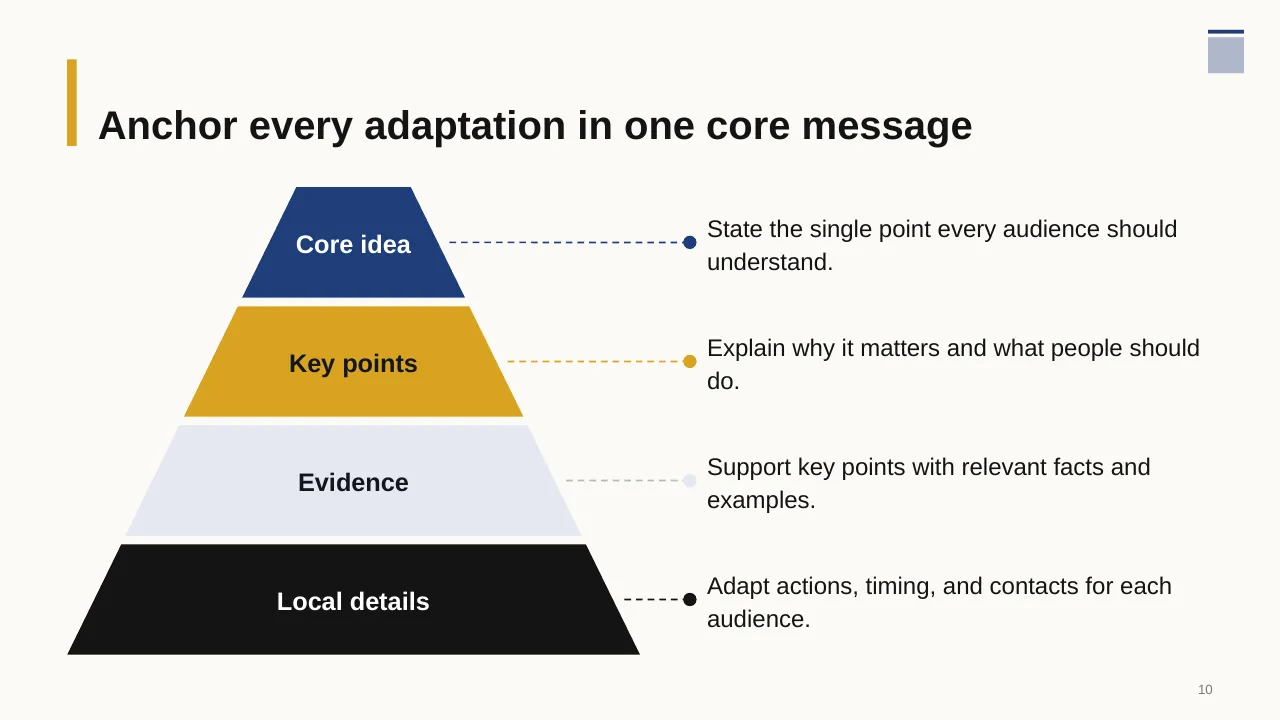
| 10 | State the single point every audience should understand. |
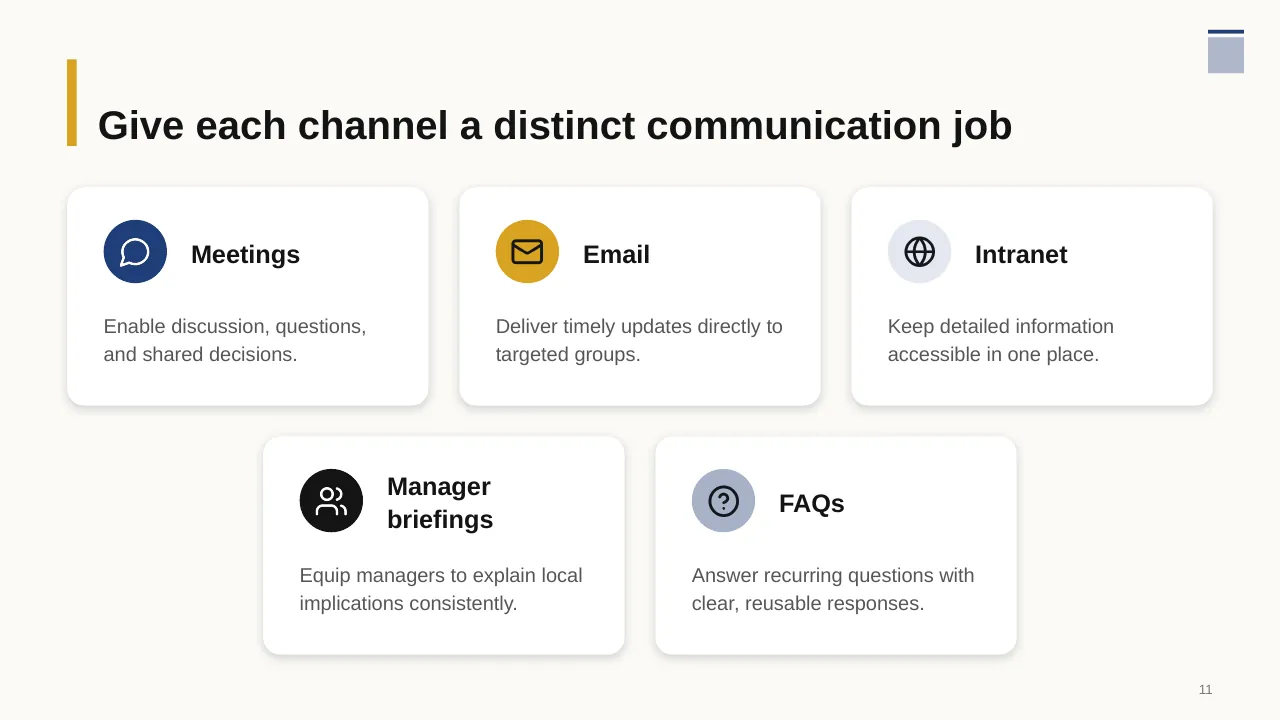
| 11 | Enable discussion, questions, and shared decisions. |
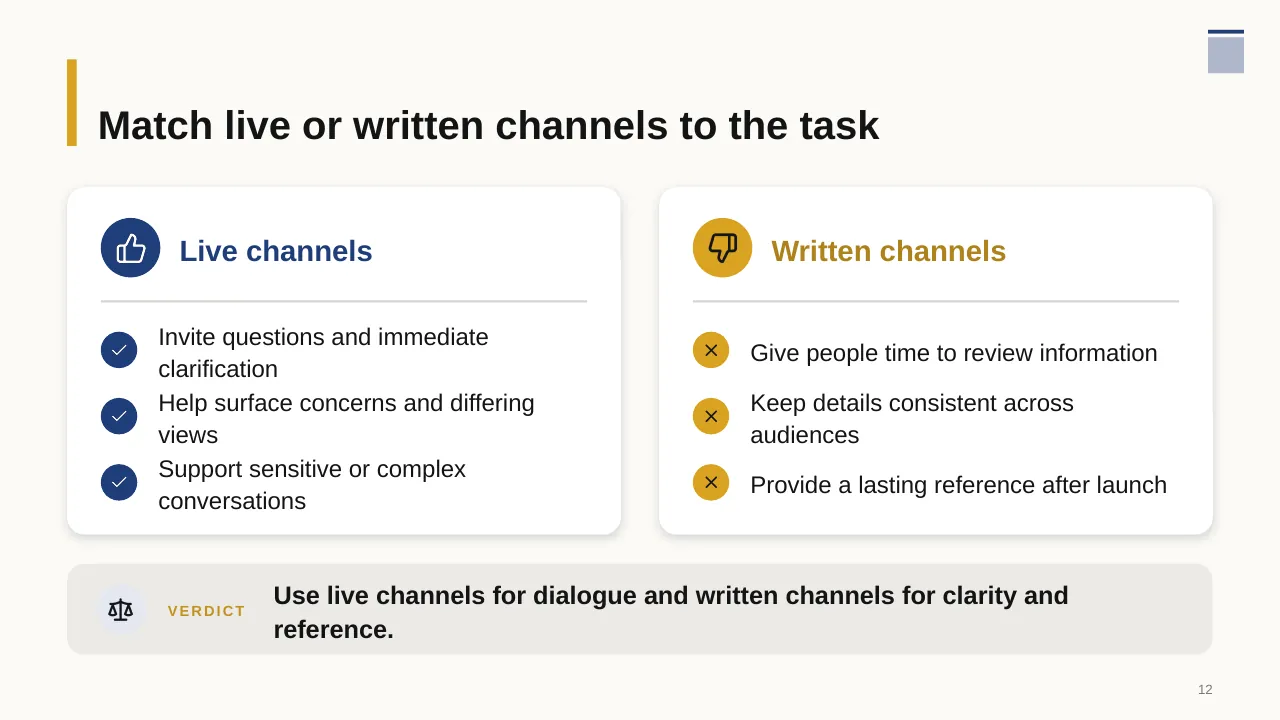
| 12 | Invite questions and immediate clarification |
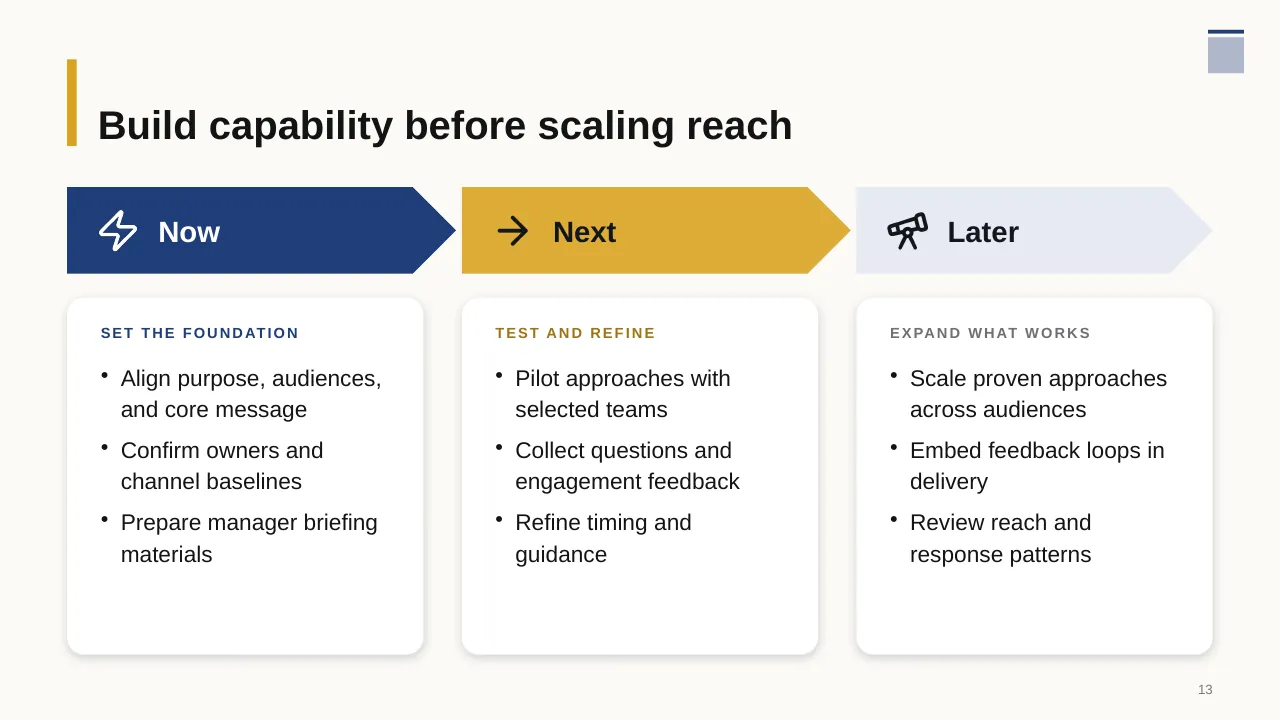
| 13 | Build capability before scaling reach |
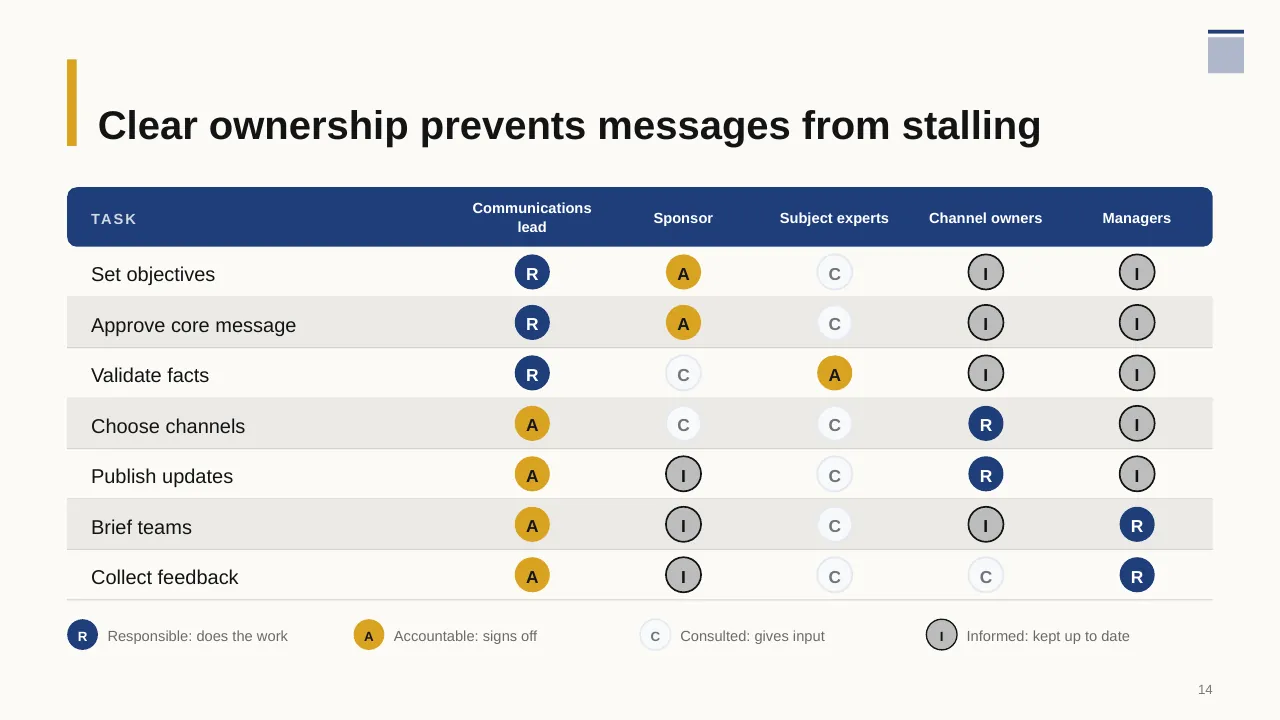
| 14 | Clear ownership prevents messages from stalling |
| 15 | Deliver communication, learn from responses, and adapt what comes next. |
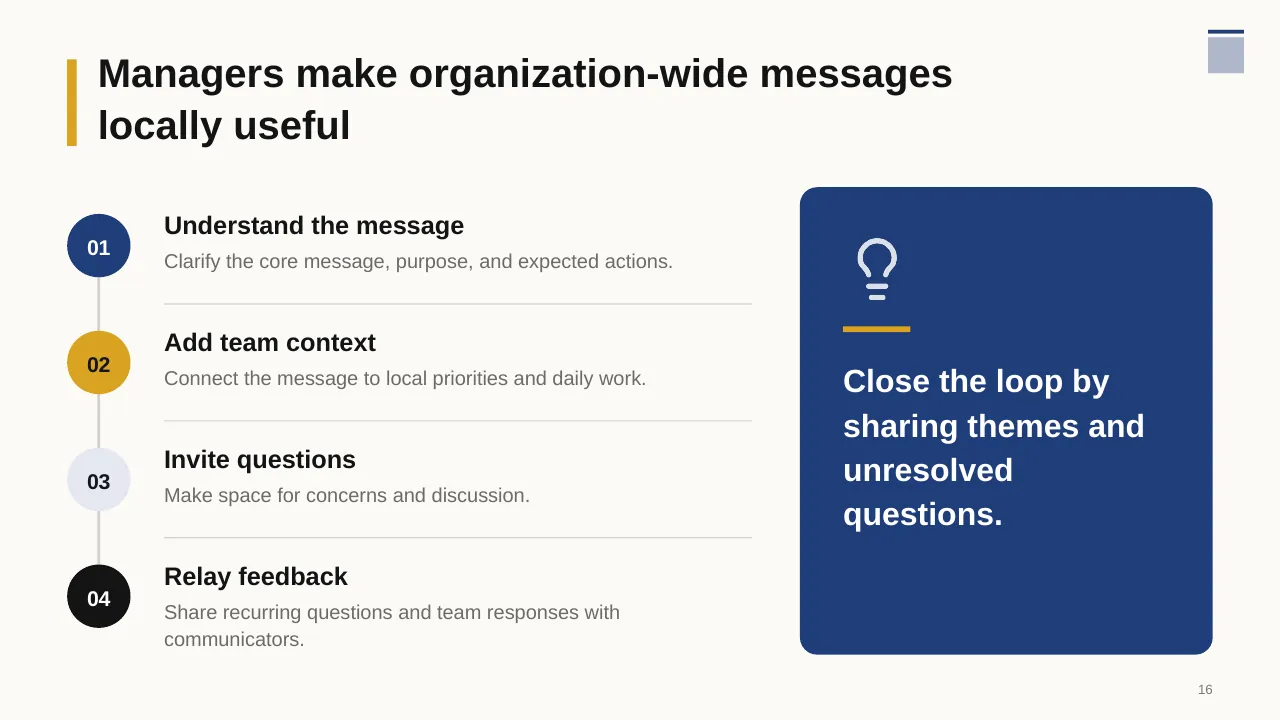
| 16 | Managers make organization-wide messages locally useful |
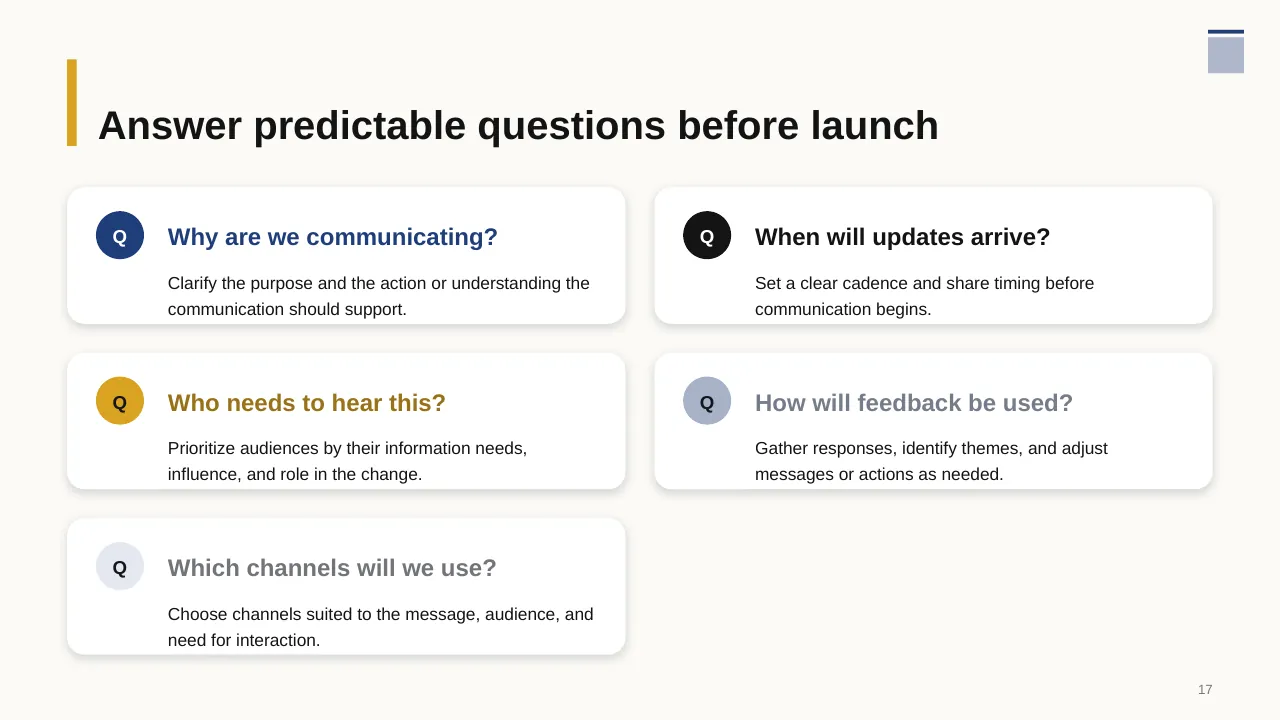
| 17 | Answer predictable questions before launch |
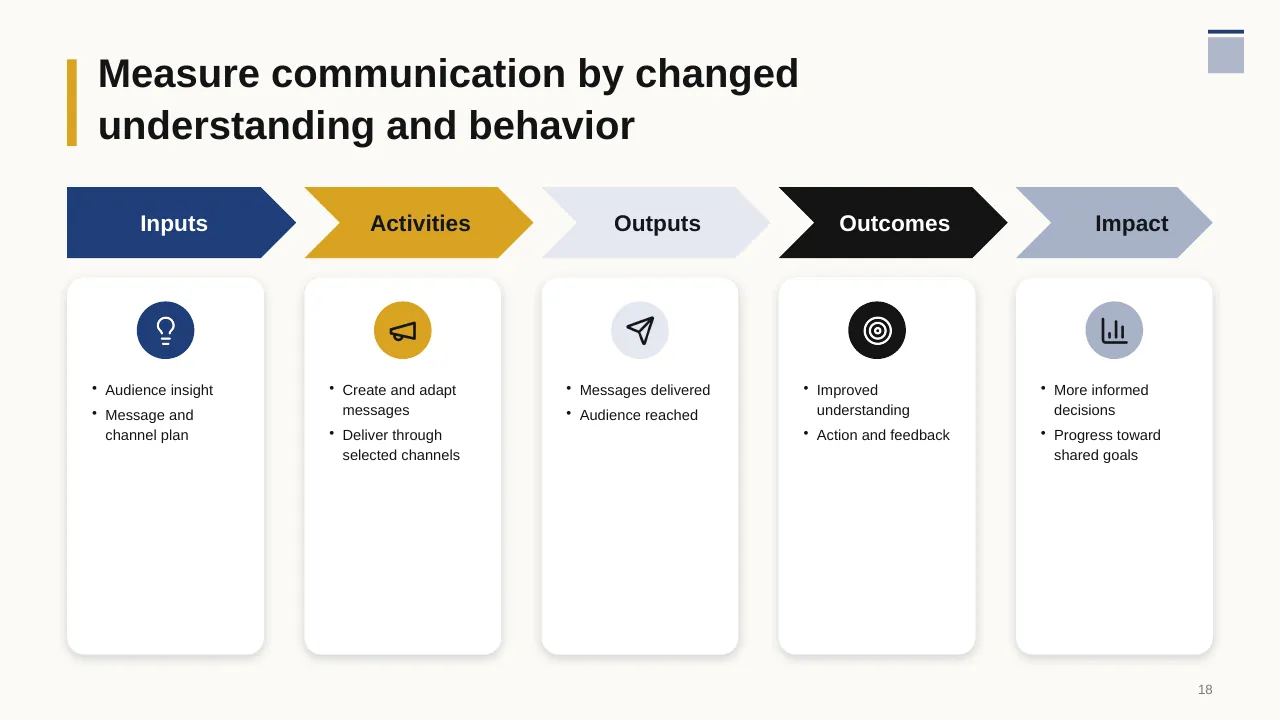
| 18 | Measure communication by changed understanding and behavior |
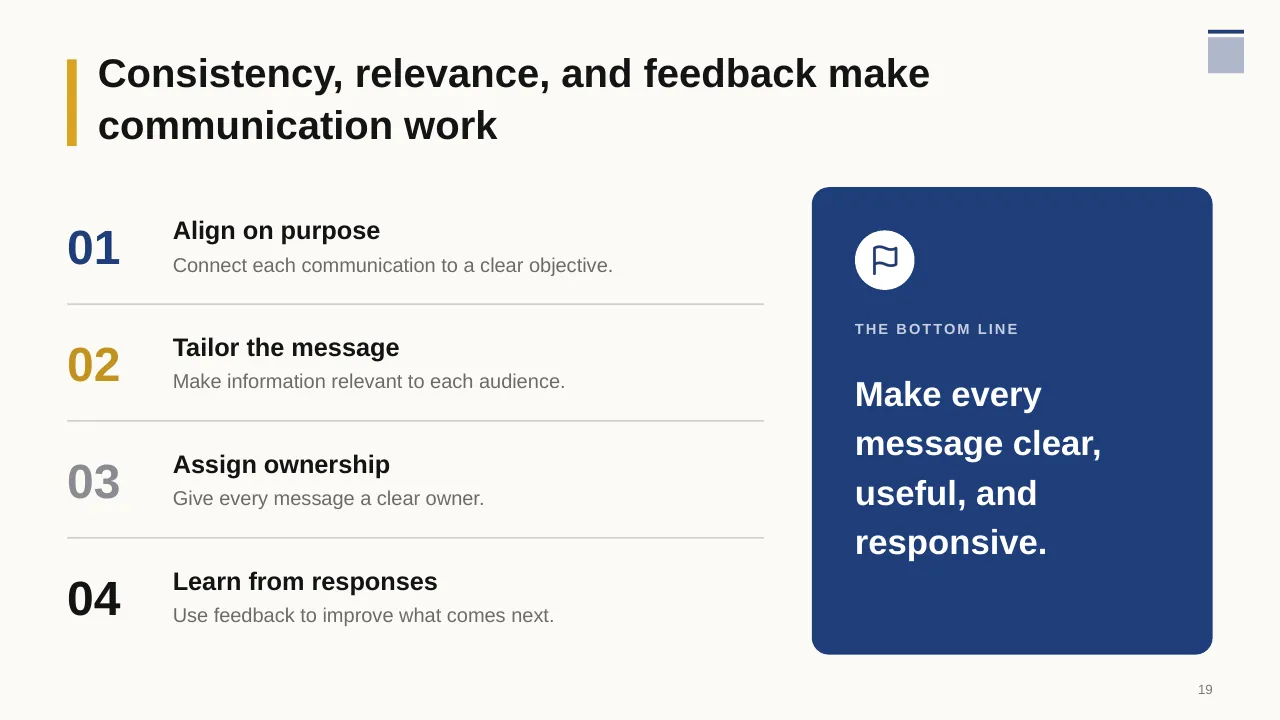
| 19 | Consistency, relevance, and feedback make communication work |
| 20 | Agree on what matters most, then connect with your communications lead to begin. |
Tips for a communication plan
- Write the one message every audience must remember.
- Match the channel to the message: big changes need face-to-face, not just email.
- Plan two-way feedback, not only broadcasts.
- Show the calendar so the timing of each message is clear.
Mistakes to avoid
- Same message for every audience
- No feedback loop
- Too many channels at once
Checklist before you present
- Are audiences listed?
- Are key messages clear?
- Is each channel's frequency set?
- Are owners named?
- Is there a way to measure understanding?
Great for
- Board meetings and leadership offsites
- Annual and quarterly planning
- Executive summaries and business reviews
- New role and first-100-days plans
How to customise it
- Download the ZIP file and unzip it to get the .pptx presentation.
- Open it in PowerPoint, or upload it to Google Drive and open it with Google Slides.
- Replace the sample text and numbers with your own; charts update from their data sheets.
- Change the theme colours once to recolour the whole deck, then delete any slides you don't need.
Questions about a communication plan
What is a communication plan matrix?
A table listing each audience, the message, channel, frequency, owner and timing.
How do I measure internal communication?
Track reach (opens, attendance), understanding (quick pulse surveys) and action (behaviour or adoption).
Related presentations
- Corporate Strategy Action Plan PowerPoint Template
- Business Growth Strategy House PowerPoint Template
- Year in Review PowerPoint Template
- Executive Summary for a Startup Business PowerPoint Template
Browse all Business Strategy & Planning presentations or more strategy templates.
Template details
| Template | Communication Plan PowerPoint Presentation |
|---|---|
| Categories | Strategy, Business Strategy & Planning |
| File format | PowerPoint (.pptx), delivered as a .zip file |
| Number of slides | 20 fully editable slides |
| File size | 1.9 MB |
| Slide size | 16:9 widescreen |
| Preview images | 20 |
| Editable | Yes: text, colours, shapes, icons and charts |
| Works with | PowerPoint 2010 and later, PowerPoint for Mac, Google Slides |
| Licence | Royalty-free, yours to keep using after your plan ends (terms of use apply) |
| Price | Included in every SlideVilla plan |
| Added | 30 Aug 2025 |
Questions about this template
Can I edit the Communication Plan PowerPoint Presentation?
Yes. Every part of the Communication Plan PowerPoint Presentation is made with native PowerPoint shapes and text boxes, so you can change the wording, colours, fonts and sizes, move or delete elements, and swap icons without losing quality.
Does the Communication Plan PowerPoint Presentation work in Google Slides?
Yes. Download the .zip file, unzip it to get the .pptx, upload it to Google Drive and open it with Google Slides. The layout, shapes and text stay editable there too.
Is the Communication Plan PowerPoint Presentation free?
It is a premium template, included in every SlideVilla plan together with the rest of the library. See plans and pricing.
What size and format is it?
It is a PPTX file in 16:9 widescreen format with 20 slides, 1.9 MB (downloaded as a .zip; unzip it to get the presentation), with 20 preview images shown above.
How to use this template
- Step 1DownloadClick Download, then unzip the .zip file to get the .pptx presentation.
- Step 2OpenOpen it in PowerPoint, or upload it to Google Slides from your Drive.
- Step 3Make it yoursChange text, colours, icons and charts. Every element is fully editable.
Categories
Tags
Related PowerPoint templates
More designs like this one, ready to edit.