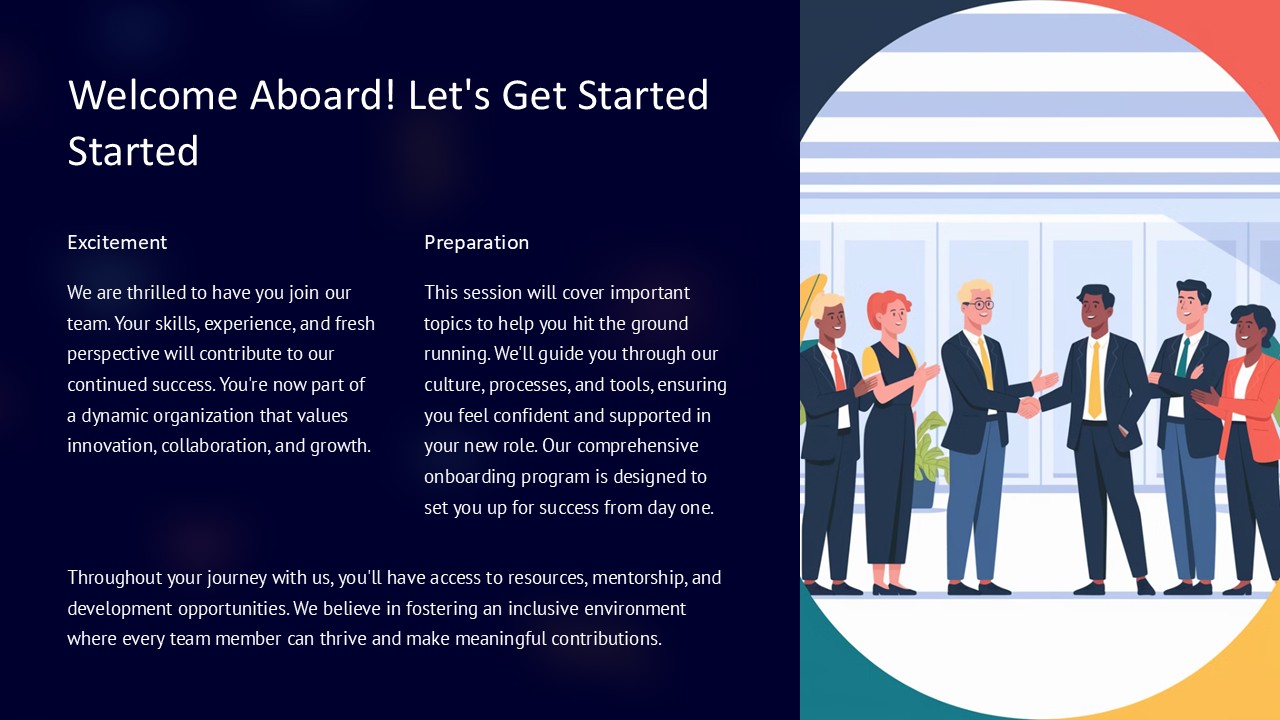
About this PowerPoint template
Introducing Your First Project: Getting Started PowerPoint Presentation
Embark on your journey to successful project management with the "Your First Project: Getting Started" PowerPoint presentation template. This meticulously designed template is the ultimate tool for beginners and seasoned professionals alike, offering a clear and structured approach to presenting your initial project plans. Whether you're in a corporate setting, academic environment, or running a personal project, this template provides a robust foundation to communicate your ideas effectively and persuasively.
Comprehensive and User-Friendly
The "Your First Project" template is crafted to guide you through the essential steps of project initiation and planning. It breaks down complex processes into manageable sections, making it easier for your audience to grasp key concepts and strategies. Each slide focuses on one aspect of the project, such as scope definition, resource allocation, timeline planning, and risk assessment, ensuring that nothing is overlooked.
With its professional design, the template features a harmonious blend of colors, fonts, and layouts that are pleasing to the eye and enhance readability. It serves not just as a visual aid but as a strategic tool to enhance understanding and retention among your stakeholders.
Perfect for Diverse Audiences
This PowerPoint presentation is versatile enough to suit a variety of audiences. Whether you are presenting to clients, colleagues, upper management, or classroom peers, the template adapts to each scenario with ease. It supports you in making a strong, confident presentation that can help sway opinions and facilitate decision-making.
Engaging Visual Elements
Visual content is key in any presentation, and "Your First Project" does not disappoint. It includes engaging graphics, charts, and diagrams that you can use to represent data visually. These elements are not only eye-catching but are designed to help convey your message more effectively, making complex information easily understandable.
Fully Editable and Customizable
One of the standout features of this template is its full editability. Every element, from text boxes and fonts to colors and shapes, can be customized to fit your specific needs. This flexibility allows you to tailor your presentation to reflect your personal style or adhere to your organization's branding guidelines.
Features:
- Support for PowerPoint and Google Slides: This template is compatible with both Microsoft PowerPoint and Google Slides, offering flexibility regardless of your preferred platform.
- Fully Editable Templates: All components of the slides can be edited or customized, enabling you to adjust the design according to your project’s requirements.
- Versatile Slide Designs: Includes a variety of slide designs, such as title slides, overview slides, detailed content slides, and summary slides, each tailored to different aspects of your presentation needs.
Whether you are a project management novice or looking to refine your presentation skills, the "Your First Project: Getting Started" PowerPoint presentation template is an essential tool. It not only helps in crafting a compelling presentation but also boosts your confidence as you walk through the project planning phase with clarity and precision.
Template details
| Template | Your First Project Getting Started PowerPoint Presentation |
|---|---|
| Category | PowerPoint Presentations |
| File format | PowerPoint (.pptx) |
| Slide size | 16:9 widescreen |
| Preview images | 1 |
| Editable | Yes: text, colours, shapes, icons and charts |
| Works with | PowerPoint 2010 and later, PowerPoint for Mac, Google Slides |
| Licence | Royalty-free, yours to keep using after your plan ends (terms of use apply) |
| Price | Included in every SlideVilla plan |
| Added | 27 Apr 2025 |
Questions about this template
Can I edit the Your First Project Getting Started PowerPoint Presentation?
Yes. Every part of the Your First Project Getting Started PowerPoint Presentation is made with native PowerPoint shapes and text boxes, so you can change the wording, colours, fonts and sizes, move or delete elements, and swap icons without losing quality.
Does the Your First Project Getting Started PowerPoint Presentation work in Google Slides?
Yes. Download the .pptx file, upload it to Google Drive and open it with Google Slides. The layout, shapes and text stay editable there too.
Is the Your First Project Getting Started PowerPoint Presentation free?
It is a premium template, included in every SlideVilla plan together with the rest of the library. See plans and pricing.
What size and format is it?
It is a PPTX file in 16:9 widescreen format, with 1 preview image shown above.
How to use this template
- Step 1DownloadClick Download and the .pptx file saves straight to your computer.
- Step 2OpenOpen it in PowerPoint, or upload it to Google Slides from your Drive.
- Step 3Make it yoursChange text, colours, icons and charts. Every element is fully editable.
Categories
Related PowerPoint templates
More designs like this one, ready to edit.