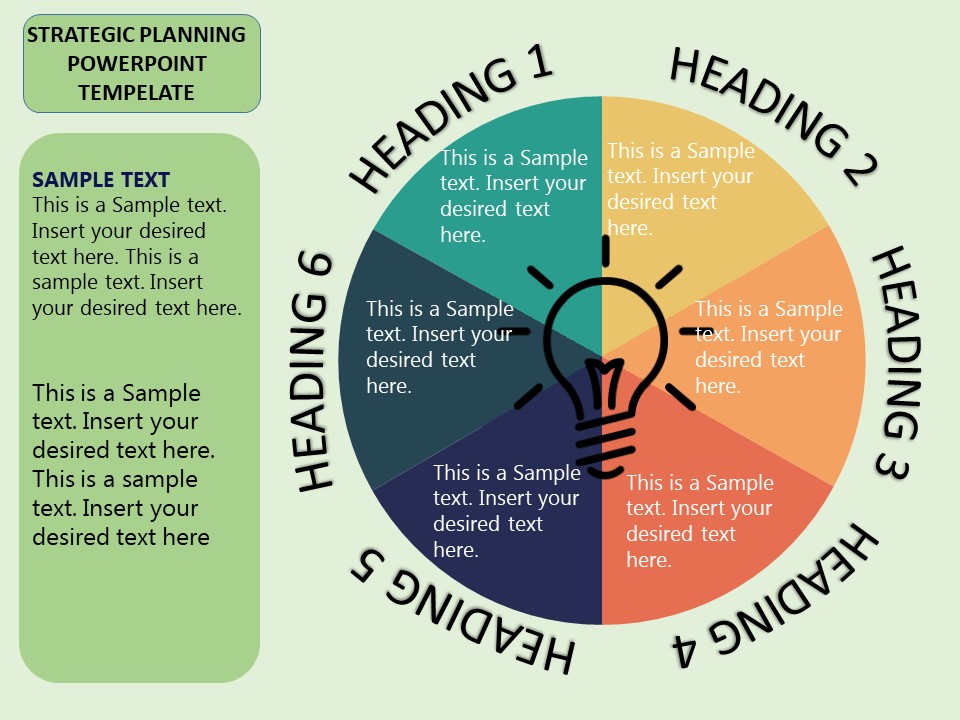
About this PowerPoint template
Are you looking for a comprehensive template to help you create an effective strategic plan for your business or organization? Look no further than the Strategic Planning Cycle PowerPoint Template. This professionally designed template is the perfect tool to guide you through the strategic planning process and ensure that you cover all essential aspects of your plan.
The Strategic Planning Cycle PowerPoint Template begins with a clear and concise overview of the strategic planning cycle, including all the key steps involved in the process. From defining your mission and vision to setting strategic objectives and identifying key performance indicators, this template provides a structured approach to developing a successful strategic plan.
One of the key features of the Strategic Planning Cycle PowerPoint Template is its fully editable design. You can easily customize the template to suit your specific needs and preferences, whether you want to add your own branding elements, change the color scheme, or update the content to reflect your organization's unique goals and objectives. With drag-and-drop functionality and a user-friendly interface, this template makes it easy to create a professional-looking strategic plan that will impress your stakeholders.
In addition to its editable design, the Strategic Planning Cycle PowerPoint Template also includes a range of useful features to enhance your strategic planning process. These features may include:
- Multiple slide layouts to accommodate various aspects of the strategic planning cycle, such as SWOT analysis, goal setting, action planning, and monitoring and evaluation.
- Creative graphics and icons to visually represent key concepts and information, making your strategic plan more engaging and easy to understand.
- Data-driven charts and diagrams to display key performance metrics and track progress towards your strategic objectives.
- Guidance notes and tips to help you navigate the strategic planning process and make informed decisions about your organization's future.
Overall, the Strategic Planning Cycle PowerPoint Template is a versatile and user-friendly tool that will help you develop a comprehensive and effective strategic plan for your business or organization. Whether you are a seasoned strategist or new to the world of strategic planning, this template will provide you with the guidance and support you need to achieve your goals and drive your organization forward.
Template details
| Template | Strategic Planning Cycle PowerPoint Template |
|---|---|
| Category | PowerPoint Templates |
| File format | PowerPoint (.pptx) |
| Slide size | 16:9 widescreen |
| Preview images | 1 |
| Editable | Yes: text, colours, shapes, icons and charts |
| Works with | PowerPoint 2010 and later, PowerPoint for Mac, Google Slides |
| Licence | Royalty-free, yours to keep using after your plan ends (terms of use apply) |
| Price | Included in every SlideVilla plan |
| Added | 2 Oct 2024 |
Questions about this template
Can I edit the Strategic Planning Cycle PowerPoint Template?
Yes. Every part of the Strategic Planning Cycle PowerPoint Template is made with native PowerPoint shapes and text boxes, so you can change the wording, colours, fonts and sizes, move or delete elements, and swap icons without losing quality.
Does the Strategic Planning Cycle PowerPoint Template work in Google Slides?
Yes. Download the .pptx file, upload it to Google Drive and open it with Google Slides. The layout, shapes and text stay editable there too.
Is the Strategic Planning Cycle PowerPoint Template free?
It is a premium template, included in every SlideVilla plan together with the rest of the library. See plans and pricing.
What size and format is it?
It is a PPTX file in 16:9 widescreen format, with 1 preview image shown above.
How to use this template
- Step 1DownloadClick Download and the .pptx file saves straight to your computer.
- Step 2OpenOpen it in PowerPoint, or upload it to Google Slides from your Drive.
- Step 3Make it yoursChange text, colours, icons and charts. Every element is fully editable.
Categories
Related PowerPoint templates
More designs like this one, ready to edit.