About this PowerPoint template
Product Description: Software Overview PowerPoint Template PowerPoint Presentation
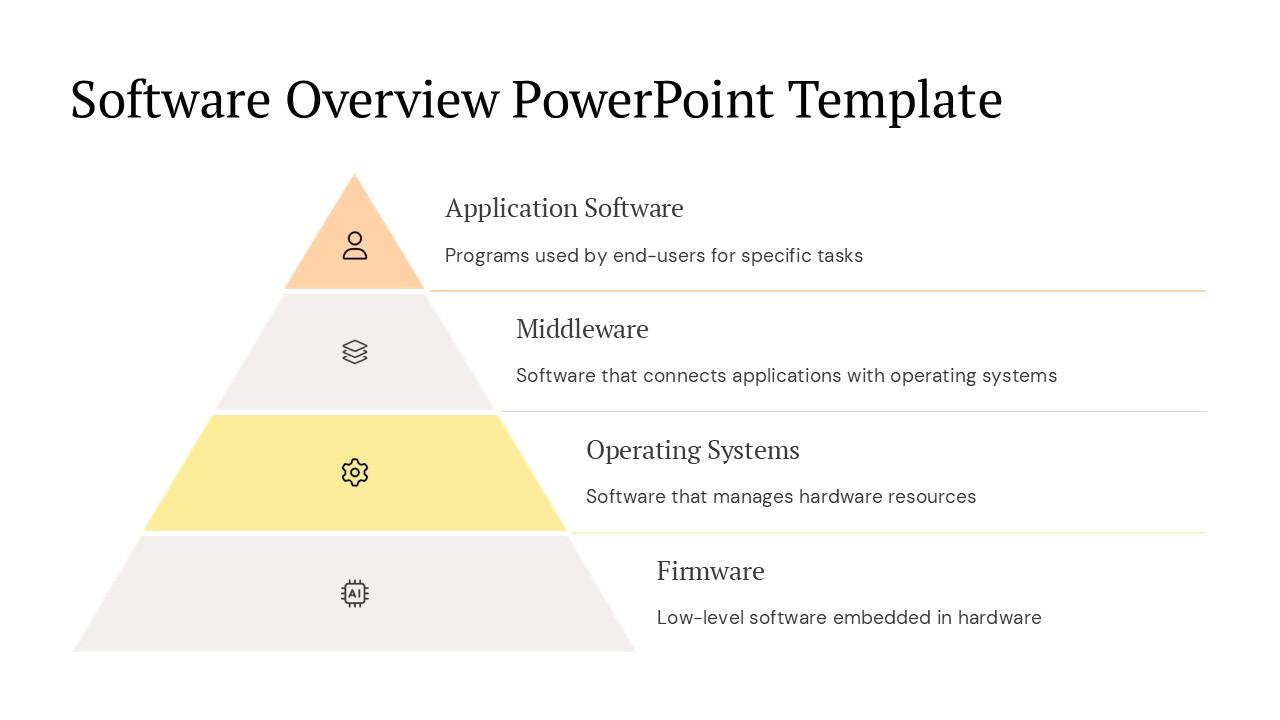
Introducing the Software Overview PowerPoint Template, a meticulously designed presentation toolkit ideal for professionals needing to showcase software solutions, features, or company technology updates. This PowerPoint presentation template is crafted with precision to help you effectively communicate complex software concepts and functionalities in a visually engaging manner. Whether you are presenting to stakeholders, potential clients, or internal teams, this template ensures your software overview is clear, professional, and compelling.
The Software Overview PowerPoint Template is tailored for versatility, making it suitable for a wide range of industries including IT, software development, tech startups, and more. It features a clean, modern design that focuses on your content while incorporating elements that enhance visual appeal and audience engagement. Each slide is structured to support various content formats, from text bullet points and software screenshots to diagrams and performance statistics.
Key Features:
Fully Editable Templates: Each element of the PowerPoint template can be customized to fit your specific needs. Change text, colors, and graphics; add your own images; and modify layout sizes without the hassle of complex design software. The flexibility of this template allows it to be reused for multiple presentations, adapting each time to your evolving content requirements.
PowerPoint and Google Slides Compatibility: This template is designed to be compatible with both PowerPoint and Google Slides. This dual compatibility ensures that you can create, edit, and present using your preferred platform without worrying about file conversions or layout discrepancies. Whether you are working on a Windows PC, a Mac, or through a web-based platform, this template offers seamless integration.
Designed for Engagement: Engage your audience with a variety of slide designs that are not only visually appealing but also conducive to presenting information in a digestible and memorable format. Utilize charts, graphs, and infographics to demonstrate key metrics and data points effectively. The template also includes creative layouts for team introductions, project timelines, and future roadmap visualizations.
Professional Aesthetic: With a professional design aesthetic, this template projects credibility and authority. It uses a cohesive color scheme that can be adjusted to align with your corporate branding. The use of modern fonts and subtle design elements ensures that the focus remains on your content, enhancing the overall impact of your presentation.
User-Friendly: You don’t need to be a design expert to use the Software Overview PowerPoint Template. It comes with easy-to-follow instructions and pre-set animations that can be customized or removed according to your presentation needs. The template is designed to be intuitive, allowing you to put together a polished presentation without extensive training in design software.
Conclusion:
The Software Overview PowerPoint Template is an essential tool for anyone looking to present software or technology-related content in a clear, engaging, and professional manner. Whether for a product launch, educational workshop, or a strategic business review, this template provides a solid foundation to build a memorable presentation that captivates your audience and delivers your message with impact.
Template details
| Template | Software Overview PowerPoint Template PowerPoint Presentation |
|---|---|
| Category | PowerPoint Presentations |
| File format | PowerPoint (.pptx) |
| Slide size | 16:9 widescreen |
| Preview images | 1 |
| Editable | Yes: text, colours, shapes, icons and charts |
| Works with | PowerPoint 2010 and later, PowerPoint for Mac, Google Slides |
| Licence | Royalty-free, yours to keep using after your plan ends (terms of use apply) |
| Price | Included in every SlideVilla plan |
| Added | 27 Apr 2025 |
Questions about this template
Can I edit the Software Overview PowerPoint Template PowerPoint Presentation?
Yes. Every part of the Software Overview PowerPoint Template PowerPoint Presentation is made with native PowerPoint shapes and text boxes, so you can change the wording, colours, fonts and sizes, move or delete elements, and swap icons without losing quality.
Does the Software Overview PowerPoint Template PowerPoint Presentation work in Google Slides?
Yes. Download the .pptx file, upload it to Google Drive and open it with Google Slides. The layout, shapes and text stay editable there too.
Is the Software Overview PowerPoint Template PowerPoint Presentation free?
It is a premium template, included in every SlideVilla plan together with the rest of the library. See plans and pricing.
What size and format is it?
It is a PPTX file in 16:9 widescreen format, with 1 preview image shown above.
How to use this template
- Step 1DownloadClick Download and the .pptx file saves straight to your computer.
- Step 2OpenOpen it in PowerPoint, or upload it to Google Slides from your Drive.
- Step 3Make it yoursChange text, colours, icons and charts. Every element is fully editable.
Categories
Related PowerPoint templates
More designs like this one, ready to edit.