About this PowerPoint template
Introducing the IT Resources PowerPoint Template – Your Ultimate Tool for Impactful IT Presentations
In the fast-evolving world of Information Technology, presenting complex data and systems in a clear and engaging way is crucial. Whether you’re discussing cybersecurity, network infrastructure, software development, or IT project management, the IT Resources PowerPoint Template is designed to make your presentation not only informative but also compelling. With this template at your disposal, you're equipped to create a professional presentation that resonates with your audience, from stakeholders to team members.
Streamlined Design for Professional Impact
Our IT Resources PowerPoint Template features a sleek, modern design tailored specifically for IT-related presentations. The template uses a tech-savvy color palette that is pleasing to the eye while keeping your audience focused on the important data. The design integrates elements that are reminiscent of digital and technological motifs, making it perfect for conveying complex IT concepts in a digestible format.
Versatile Slide Layouts
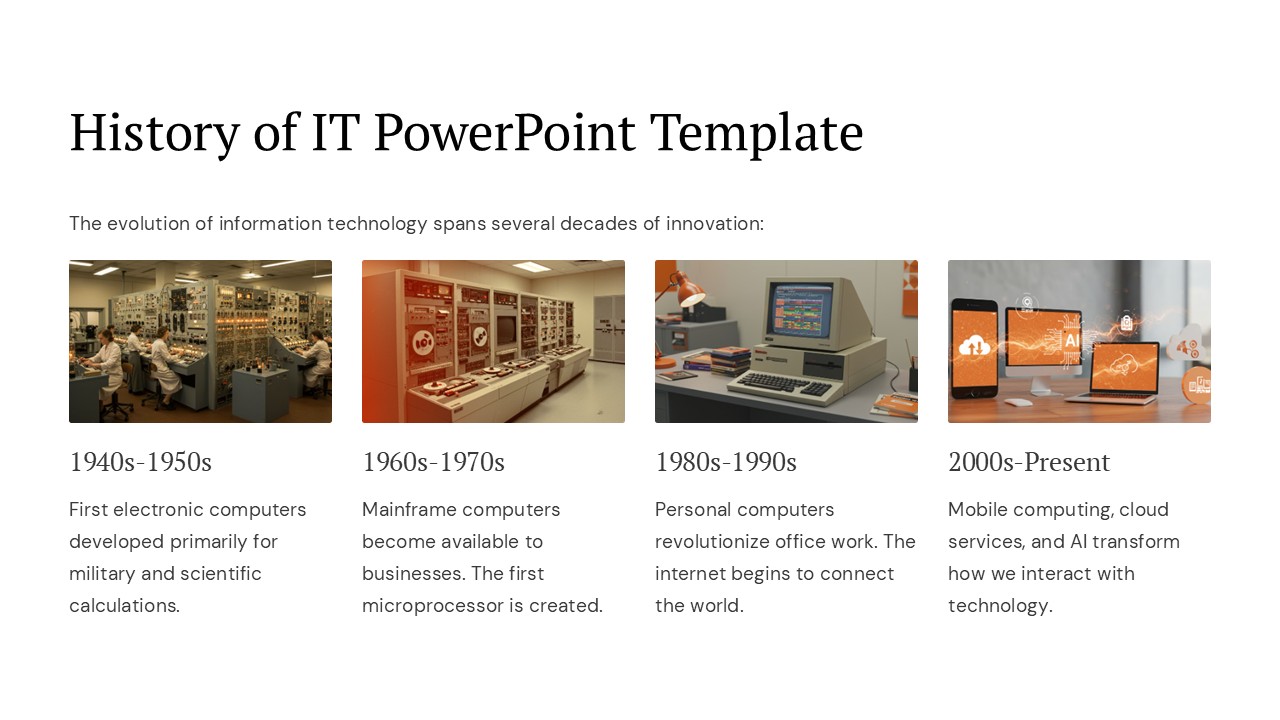
This comprehensive template includes a variety of slide layouts, each crafted to suit different types of information and presentation styles. From timeline slides that help you map out project phases to infographic slides that break down data into easy-to-understand visuals, this template has everything you need. You’ll also find slides designed for team introductions, SWOT analysis, technology comparisons, and more, ensuring that every aspect of your IT presentation is covered.
Fully Editable for Customization
Customization is key in making your presentation unique and tailored to your specific needs. The IT Resources PowerPoint Template is fully editable, allowing you to adjust colors, text, icons, and graphics to fit your brand identity or the specific theme of your presentation. Whether you need to highlight certain points more prominently or adapt the layout to better tell your story, these editable features make it easy and efficient.
Features:
- Supports PowerPoint and Google Slides: This template is compatible with both PowerPoint and Google Slides, offering flexibility depending on your preferred platform or the requirements of your organization.
- Fully Editable Elements: You have complete control over customization. Adjust the templates to change colors, fonts, and more to align with your corporate branding or presentation goals.
- Wide Variety of Slides: Includes numerous slide designs such as charts, graphs, timelines, lists, and more, each designed to present information clearly and dynamically.
- Tech-Inspired Design: The template features a modern, digital-themed design that is perfect for IT presentations, making complex data accessible and engaging.
- User-Friendly: Even if you're not a PowerPoint expert, this template is straightforward to use. Simply add your content to the pre-designed slides and adjust as necessary.
The IT Resources PowerPoint Template is more than just a presentation tool; it's a comprehensive solution for IT professionals looking to elevate their presentation game. Whether presenting to management, a team, or at a conference, this template ensures your information is structured, engaging, and memorable. Equip yourself with this powerful tool and transform how you communicate in the IT landscape.
Template details
| Template | IT Resources PowerPoint Template PowerPoint Presentation |
|---|---|
| Category | PowerPoint Presentations |
| File format | PowerPoint (.pptx) |
| Slide size | 16:9 widescreen |
| Preview images | 1 |
| Editable | Yes: text, colours, shapes, icons and charts |
| Works with | PowerPoint 2010 and later, PowerPoint for Mac, Google Slides |
| Licence | Royalty-free, yours to keep using after your plan ends (terms of use apply) |
| Price | Included in every SlideVilla plan |
| Added | 27 Apr 2025 |
Questions about this template
Can I edit the IT Resources PowerPoint Template PowerPoint Presentation?
Yes. Every part of the IT Resources PowerPoint Template PowerPoint Presentation is made with native PowerPoint shapes and text boxes, so you can change the wording, colours, fonts and sizes, move or delete elements, and swap icons without losing quality.
Does the IT Resources PowerPoint Template PowerPoint Presentation work in Google Slides?
Yes. Download the .pptx file, upload it to Google Drive and open it with Google Slides. The layout, shapes and text stay editable there too.
Is the IT Resources PowerPoint Template PowerPoint Presentation free?
It is a premium template, included in every SlideVilla plan together with the rest of the library. See plans and pricing.
What size and format is it?
It is a PPTX file in 16:9 widescreen format, with 1 preview image shown above.
How to use this template
- Step 1DownloadClick Download and the .pptx file saves straight to your computer.
- Step 2OpenOpen it in PowerPoint, or upload it to Google Slides from your Drive.
- Step 3Make it yoursChange text, colours, icons and charts. Every element is fully editable.
Categories
Related PowerPoint templates
More designs like this one, ready to edit.