About this PowerPoint template
Free Google Slides themes and PowerPoint templates
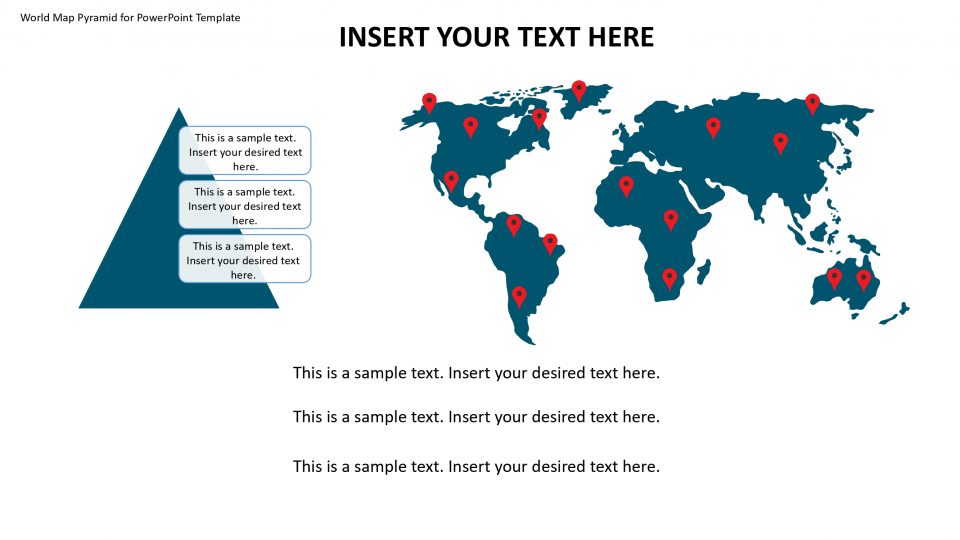
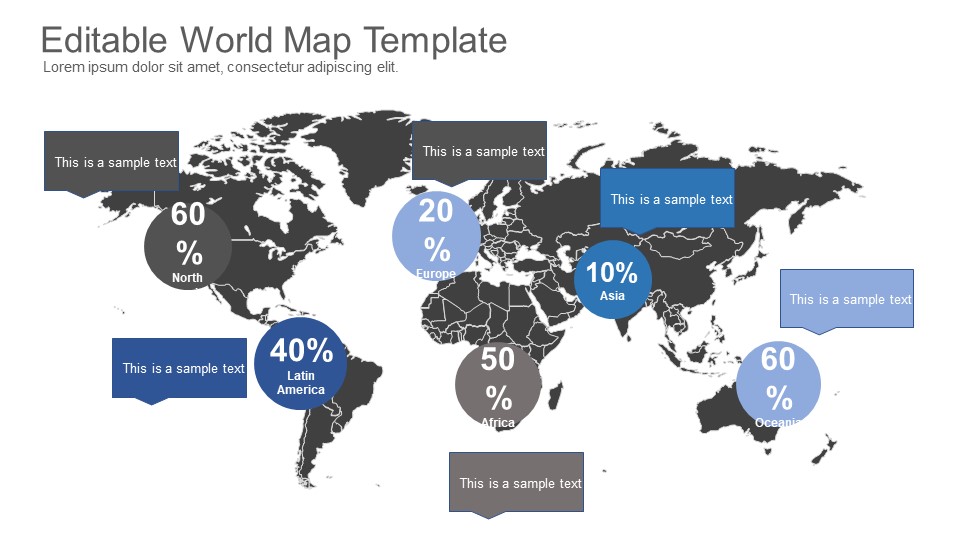
Introducing our Editable World Map PowerPoint Template – the ultimate ppt for creating captivating and informative presentations. This template is designed to help you effectively showcase global data, highlight geographical trends, and present complex information with ease. With its user-friendly features and customizable elements, our Editable World Map PowerPoint Template will take your presentations to the next level.
Key Features:
- Editable World Map: Our template features a highly detailed and accurate world map that can be easily customized to suit your specific needs. You have the freedom to edit individual countries, regions, or even continents, allowing you to emphasize specific areas of interest or tailor the map to match your presentation theme.
- Customizable Elements: The template offers a wide range of customizable elements, including color schemes, font styles, and layout options. This enables you to personalize the map to align with your brand identity or presentation requirements, ensuring a consistent and professional look throughout.
- Interactive Functionality: Engage your audience by utilizing the interactive features of our template. You can add clickable hotspots to the map, linking to additional slides or external content. This allows you to provide in-depth information about specific countries or regions, creating a dynamic and interactive presentation experience.
- Data Visualization: Transform complex data into visually compelling graphics with ease. The Editable World Map PowerPoint Template provides various chart and graph options that can be integrated seamlessly into the map. Visualize statistics, demographics, or market trends, making it easier for your audience to understand and retain key information.
- Versatile Use: Our template is perfect for a wide range of presentations, such as business reports, academic projects, sales pitches, or educational seminars. It caters to diverse industries, including marketing, finance, travel, and education, allowing you to effectively communicate your message regardless of your field.
- User-Friendly Interface: The intuitive interface of our PowerPoint template ensures a smooth and hassle-free editing experience. Whether you're a PowerPoint expert or a novice user, you'll find it easy to navigate through the various customization options and create visually stunning presentations in no time.
- Completely editable in terms of shape, color, size and text
- This template has a built in color theme which is unaffected by copy-pasting
- Includes an icon family with 135 unique completely editable icons
- Drag and drop image placeholder
- Completely editable (using spreadsheet) data-driven charts for displaying statistics
- Completely editable vector graphics
Supports
Microsoft PowerPoint 2010, 2011, 2013, 2016
MacOffice 2016, MacOffice 365, Keynote, Google Slides
Use Cases For Editable World Map PowerPoint Template
- Global Business Expansion: Visualize expansion plans and target markets across the world. Use the template to highlight key locations for new offices, distribution centers, or partnerships, facilitating strategic decision-making and planning.
- Market Analysis and Research: Present market data and research findings in a geographical context. Use the template to map market trends, customer demographics, and competitor locations, enabling stakeholders to identify opportunities and make informed business decisions.
- Sales and Distribution Mapping: Map sales territories, distribution channels, and customer locations for sales planning and analysis. Use the template to visualize sales performance by region, identify growth opportunities, and optimize sales strategies.
- International Marketing Campaigns: Plan and execute international marketing campaigns with a global perspective. Use the template to map target audiences, advertising channels, and campaign reach across different countries and regions, ensuring effective messaging and audience targeting.
- Logistics and Supply Chain Management: Visualize global supply chain networks and logistics routes. Use the template to map supplier locations, transportation routes, and distribution centers, optimizing supply chain efficiency and reducing operational costs.
- Educational Presentations: Enhance educational presentations with interactive maps for geography lessons, cultural studies, or international business courses. Use the template to engage students with visual learning aids, quizzes, and interactive activities based on geographical regions and landmarks.
- Travel and Tourism Presentations: Create engaging presentations for travel agencies, tourism boards, or travel enthusiasts. Use the template to showcase popular destinations, tourist attractions, and travel itineraries around the world, inspiring wanderlust and promoting travel experiences.
- Geopolitical Analysis and Reporting: Analyze geopolitical trends, conflicts, and alliances using interactive maps. Use the template to visualize geopolitical data, historical events, and current affairs, providing context and insights for political analysis and reporting.
- Environmental and Climate Studies: Present environmental data and climate patterns in a global context. Use the template to map biodiversity hotspots, natural disasters, and climate change impacts, raising awareness and promoting environmental conservation efforts.
- Cultural and Demographic Studies: Explore cultural diversity and demographic trends across different regions of the world. Use the template to map population distribution, ethnic groups, and cultural heritage sites, fostering cross-cultural understanding and appreciation.
- Emergency Response Planning: Plan and coordinate emergency response efforts for natural disasters, humanitarian crises, or public health emergencies. Use the template to map disaster-prone areas, emergency resources, and evacuation routes, facilitating preparedness and response coordination.
Template details
| Template | Editable World Map PowerPoint Template |
|---|---|
| Categories | Power Point Maps, World Maps & Globes |
| File format | PowerPoint (.pptx) |
| Slide size | 16:9 widescreen |
| Preview images | 1 |
| Editable | Yes: text, colours, shapes, icons and charts |
| Works with | PowerPoint 2010 and later, PowerPoint for Mac, Google Slides |
| Licence | Royalty-free, yours to keep using after your plan ends (terms of use apply) |
| Price | Included in every SlideVilla plan |
| Added | 29 Mar 2022 |
| Last updated | 20 Nov 2024 |
Questions about this template
Can I edit the Editable World Map PowerPoint Template?
Yes. Every part of the Editable World Map PowerPoint Template is made with native PowerPoint shapes and text boxes, so you can change the wording, colours, fonts and sizes, move or delete elements, and swap icons without losing quality.
Does the Editable World Map PowerPoint Template work in Google Slides?
Yes. Download the .pptx file, upload it to Google Drive and open it with Google Slides. The layout, shapes and text stay editable there too.
Is the Editable World Map PowerPoint Template free?
It is a premium template, included in every SlideVilla plan together with the rest of the library. See plans and pricing.
What size and format is it?
It is a PPTX file in 16:9 widescreen format, with 1 preview image shown above.
How to use this template
- Step 1DownloadClick Download and the .pptx file saves straight to your computer.
- Step 2OpenOpen it in PowerPoint, or upload it to Google Slides from your Drive.
- Step 3Make it yoursChange text, colours, icons and charts. Every element is fully editable.
Categories
Related PowerPoint templates
More designs like this one, ready to edit.