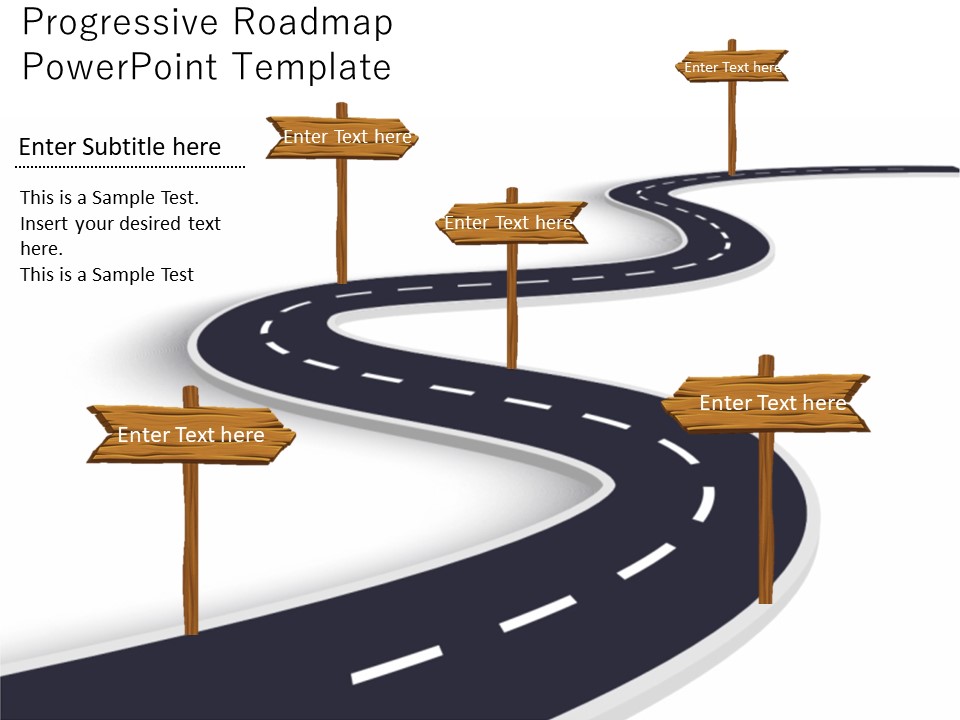
About this PowerPoint template
Forge a clear path to professional success with our Career Roadmap PowerPoint Presentation. Designed for individuals at any stage of their career journey, this versatile template provides a strategic framework for personal and professional development. Whether you're a recent graduate, mid-career professional, or seasoned executive, this presentation equips you with the tools to set goals, map out milestones, and navigate your career trajectory with confidence. Compatible with Microsoft PowerPoint and Google Slides, this template ensures seamless integration into your workflow. Its sleek design and customizable elements allow for easy adaptation to your unique aspirations and industry demands. From skill development to networking strategies and advancement opportunities, this template covers every aspect of career planning and growth. Elevate your career prospects and unlock your full potential with our Career Roadmap PowerPoint Presentation.
Template details
| Template | Career Roadmap PowerPoint Presentation |
|---|---|
| Category | Roadmap |
| File format | PowerPoint (.pptx) |
| Slide size | 16:9 widescreen |
| Preview images | 1 |
| Editable | Yes: text, colours, shapes, icons and charts |
| Works with | PowerPoint 2010 and later, PowerPoint for Mac, Google Slides |
| Licence | Royalty-free, yours to keep using after your plan ends (terms of use apply) |
| Price | Included in every SlideVilla plan |
| Added | 13 Mar 2024 |
| Last updated | 27 Mar 2024 |
Questions about this template
Can I edit the Career Roadmap PowerPoint Presentation?
Yes. Every part of the Career Roadmap PowerPoint Presentation is made with native PowerPoint shapes and text boxes, so you can change the wording, colours, fonts and sizes, move or delete elements, and swap icons without losing quality.
Does the Career Roadmap PowerPoint Presentation work in Google Slides?
Yes. Download the .pptx file, upload it to Google Drive and open it with Google Slides. The layout, shapes and text stay editable there too.
Is the Career Roadmap PowerPoint Presentation free?
It is a premium template, included in every SlideVilla plan together with the rest of the library. See plans and pricing.
What size and format is it?
It is a PPTX file in 16:9 widescreen format, with 1 preview image shown above.
How to use this template
- Step 1DownloadClick Download and the .pptx file saves straight to your computer.
- Step 2OpenOpen it in PowerPoint, or upload it to Google Slides from your Drive.
- Step 3Make it yoursChange text, colours, icons and charts. Every element is fully editable.
Categories
Related PowerPoint templates
More designs like this one, ready to edit.