About this PowerPoint template
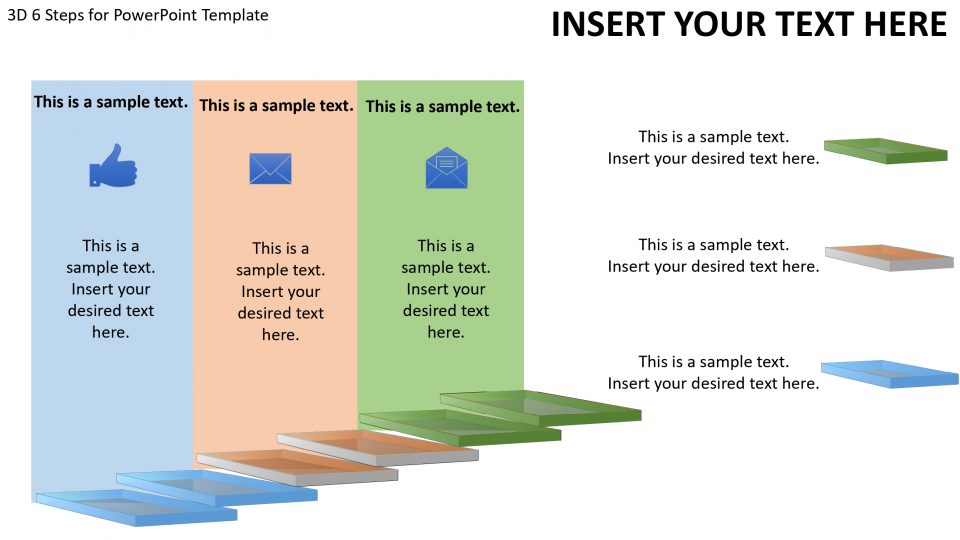
This PowerPoint presentation template is designed to help business owners and HR professionals effectively communicate with their employees at each stage of the employee lifecycle. With a focus on engagement, motivation, and productivity, this presentation covers the six key stages of an employee's journey within the company.
- Recruitment: The first stage of the employee lifecycle is recruitment, where potential candidates are identified and brought into the organization. This section of the presentation covers strategies for attracting top talent and ensuring a smooth onboarding process.
- Onboarding: Once a new employee is hired, it is crucial to provide them with a comprehensive onboarding experience. This stage of the presentation delves into best practices for orientation, training, and setting expectations for new hires.
- Development: As employees settle into their roles, they should be given opportunities for growth and development. This section highlights the importance of ongoing training, mentorship, and career advancement within the company.
- Engagement: Keeping employees engaged and motivated is key to maintaining a positive work environment. This part of the presentation explores various strategies for boosting employee morale, fostering teamwork, and promoting a healthy work-life balance.
- Performance Management: Regular performance evaluations are essential for tracking employee progress and providing constructive feedback. This stage of the presentation covers performance management tools, goal setting techniques, and effective communication strategies.
- Separation: Whether an employee chooses to leave the company or is let go, it is important to handle the separation process professionally and respectfully. This section outlines best practices for conducting exit interviews, offboarding procedures, and maintaining positive relationships with former employees.
Features:
- Fully editable PowerPoint slides with customizable layouts and color schemes
- High-quality graphics and illustrations to enhance visual appeal
- Easy-to-use templates for quick and easy customization
- Compatible with both Windows and Mac operating systems
- Suitable for a variety of industries and organizational sizes
Overall, this PowerPoint presentation template offers a comprehensive guide to managing the employee lifecycle effectively and ensuring a positive experience for everyone involved. Whether you are a seasoned HR professional or a business owner looking to improve employee relations, this template is a valuable tool for enhancing workplace productivity and satisfaction.
Template details
| Template | 6 Stages For Employee PowerPoint Presentation |
|---|---|
| Category | PowerPoint Templates |
| File format | PowerPoint (.pptx) |
| Slide size | 16:9 widescreen |
| Preview images | 1 |
| Editable | Yes: text, colours, shapes, icons and charts |
| Works with | PowerPoint 2010 and later, PowerPoint for Mac, Google Slides |
| Licence | Royalty-free, yours to keep using after your plan ends (terms of use apply) |
| Price | Included in every SlideVilla plan |
| Added | 2 Oct 2024 |
Questions about this template
Can I edit the 6 Stages For Employee PowerPoint Presentation?
Yes. Every part of the 6 Stages For Employee PowerPoint Presentation is made with native PowerPoint shapes and text boxes, so you can change the wording, colours, fonts and sizes, move or delete elements, and swap icons without losing quality.
Does the 6 Stages For Employee PowerPoint Presentation work in Google Slides?
Yes. Download the .pptx file, upload it to Google Drive and open it with Google Slides. The layout, shapes and text stay editable there too.
Is the 6 Stages For Employee PowerPoint Presentation free?
It is a premium template, included in every SlideVilla plan together with the rest of the library. See plans and pricing.
What size and format is it?
It is a PPTX file in 16:9 widescreen format, with 1 preview image shown above.
How to use this template
- Step 1DownloadClick Download and the .pptx file saves straight to your computer.
- Step 2OpenOpen it in PowerPoint, or upload it to Google Slides from your Drive.
- Step 3Make it yoursChange text, colours, icons and charts. Every element is fully editable.
Categories
Related PowerPoint templates
More designs like this one, ready to edit.